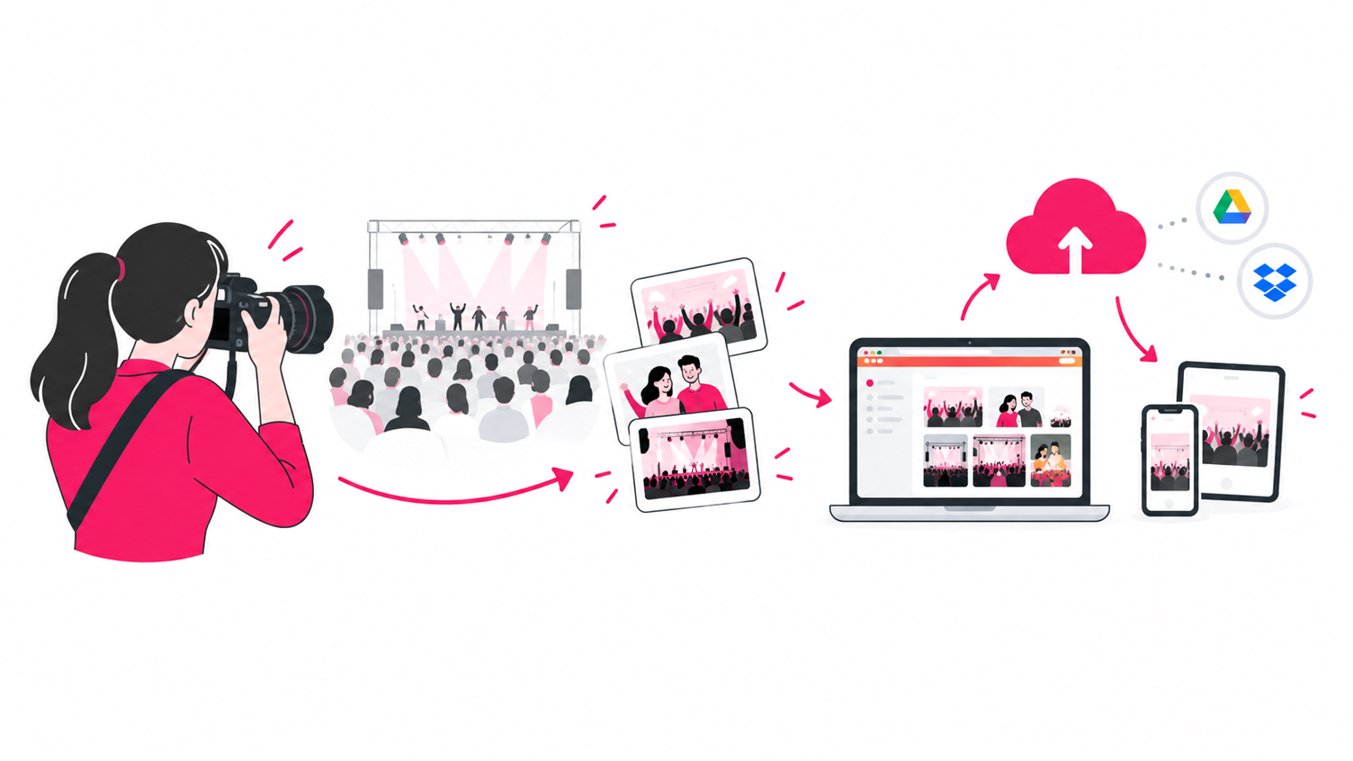

Shared albums let guests upload their own photos as well as view other people’s pictures, while one-way event photo sharing gives a host or photography team control over what gets published. Choose a shared album when collecting candid perspectives is the priority. Choose a host-managed gallery when image quality, privacy, consistency, and a reliable delivery process matter most. For events that need both, a small, trusted upload team can collect images without opening the gallery to every guest.
The difference is not simply who can see the photos. It is who can add, organize, approve, and distribute them. That decision affects the guest experience, the photographer’s workload, and how much control an organizer has over the final collection.
What is a shared photo album?
A shared or collaborative photo album allows multiple people to contribute images to the same collection. Depending on the platform and settings, guests may be able to upload photos, view other contributions, comment, or download the collection.
This model is useful when the event itself is the story and there is no single photographer expected to document every moment. A guest may capture a funny table interaction, a behind-the-scenes detail, or a candid moment that the official photographer never sees.
Benefits of guest-contributed albums
- More perspectives: Guests capture different tables, conversations, and moments happening simultaneously.
- Candid coverage: Friends and colleagues may document informal moments that a hired photographer misses.
- Shared ownership: Guests feel involved in building the memory collection rather than simply receiving it.
- Less dependence on one photographer: The album can include phone photos from people across the venue.
- Useful for informal gatherings: Family reunions, birthdays, school events, and group trips often benefit from contributions by many people.
Where shared albums can become difficult
Open contribution also creates work. Uploads may include duplicate shots, blurry images, screenshots, accidental captures, or photos that some guests would prefer not to circulate.
The organizer may need to moderate submissions, explain who can view them, and make decisions about inappropriate or sensitive content. If guests can edit or delete content, it is also important to understand how those permissions work before the event.
A shared album is not automatically a public album. Access depends on the service’s permissions and link settings, so check whether anyone with the link can view or contribute, whether sign-in is required, and whether contributors can see or change other people’s photos.
What is one-way event photo sharing?
One-way photo sharing is a host-controlled workflow: the host, photographer, or designated team uploads the photos, then shares a gallery where guests can view and download them. Guests do not upload directly into that shared guest gallery.
This approach is common when the collection needs to feel curated and consistent. The photographer can review the images, remove duplicates, correct obvious mistakes, organize the gallery, and publish a deliberate set rather than an unfiltered stream of uploads.
“One-way” does not have to mean one person does all the work. For example, SnapSeek allows a host to add up to 10 contributors who can upload photos to the collection. Guests can view and download the published photos, while uploading remains limited to the host and approved contributors rather than every guest.
Benefits of one-way photo sharing
- Quality control: The photography team can check images before guests receive them.
- A consistent gallery: Photos can follow a planned structure, naming convention, or delivery sequence.
- Clear responsibility: The host or team knows who manages uploads, organization, and guest access.
- Less guest-side clutter: Guests browse the collection without having to sort through a large number of unrelated contributions.
- Better fit for professional delivery: Corporate events, conferences, brand activations, and paid photography assignments often require a polished final gallery.
- Controlled contributor access: A small team can share the upload workload without allowing every attendee to publish directly.
What one-way sharing does not capture as easily
A host-managed gallery can miss spontaneous phone photos that guests never send to the photographer. If the organizer wants a record of the event from attendees’ perspectives, they need a separate collection process or a defined group of contributors who can gather those images.
It also requires an upload and delivery plan. The team should agree who is responsible for selecting, organizing, and publishing the final photos, and when guests can expect access.
Shared albums vs one-way photo sharing: a comparison
| Feature | Guest-contributed shared album | One-way event photo sharing |
|---|---|---|
| Who uploads? | Guests and other permitted contributors | Host, photographer, or approved upload team |
| Who controls the final collection? | Depends on platform permissions and moderation | Host or designated team |
| Photo selection | Broad and spontaneous | Curated before or during delivery |
| Candid guest perspectives | Usually a major strength | Depends on what the team collects |
| Consistency and quality checks | May require active moderation | Easier to review before publishing |
| Organizer workload | Often includes moderation and duplicate cleanup | Includes collecting, reviewing, and publishing photos |
| Best for | Reunions, informal parties, group trips, community events | Corporate events, conferences, professional photography, brand events |
| Main risk | Unwanted or low-quality uploads and unclear permissions | Missing guest-taken moments |
| Useful hybrid | Guests contribute to a separate collection | A small approved team uploads to the host-managed gallery |
Neither model is universally better. The right choice depends on what the event needs the photo collection to accomplish.
Which photo-sharing method should you use for your event?
Weddings and engagement parties
A shared album works well when the couple wants candid moments from friends and family, including photos from tables, the dance floor, and behind-the-scenes preparations. It can complement the professional photographer’s gallery rather than replace it.
Use one-way sharing for the official wedding photos when the couple wants a polished collection with consistent editing and a clear delivery experience. A practical setup is to keep the professional gallery host-managed and use a separate guest-contribution workflow for phone photos.
Learn how face recognition helps wedding planners and the couple in photo sharing.
Corporate events and conferences
One-way sharing is often the safer default for official event photography. Organizers may need to maintain brand standards, coordinate with sponsors, and avoid publishing images before the communications team has reviewed them.
A shared album can still work for an internal team gathering or a private employee event, especially when informal participation is part of the goal. For a public-facing conference, define access and moderation rules before inviting contributions.
Birthdays, reunions, and family gatherings
Guest-contributed albums are a natural fit when the goal is to gather memories from everyone. Guests may be spread across different tables or activities, so collective uploading can reveal moments no single person captured.
If some family members are less comfortable with technology, keep the instructions simple. Explain whether the link is for uploading, viewing, or both, and identify who can access the album.
Festivals, community events, and large public gatherings
The choice depends on the purpose. If organizers want a broad record of attendee experiences, guest contributions can add variety. If the gallery is an official media asset for sponsors, press, or future promotion, a curated one-way workflow offers more control.
For larger events, decide how images will be reviewed, who is allowed to publish them, and how requests to remove a photo will be handled. Clear rules matter more as the audience and potential reach grow.
Read more about how photo sharing helps build communities.
Tours and group trips
For a tour operator, one-way sharing is useful when a guide or photography team takes pictures and sends the group a single organized gallery. It avoids asking every traveller to manage the official collection.
A guest-contributed album is useful when participants want to pool their own snapshots from different stops. For more on planning an easy photo-delivery workflow, check out our guide to sharing tour photos.
How to set up a smoother event photo-sharing workflow
Whether you choose a collaborative album or a host-managed gallery, a few practical decisions can prevent confusion.
- Set the purpose first. Decide whether you are collecting everyone’s memories, delivering official photography, or doing both.
- Choose upload permissions deliberately. If guests can contribute, confirm who can upload, view, download, edit, or remove photos.
- Make access simple. Share one clear link or QR code and explain what happens after someone opens it. Avoid giving guests multiple competing instructions.
- Tell people what belongs in the collection. For a guest album, ask for original photos rather than screenshots or heavily compressed copies. For a professional gallery, set expectations for when edited photos will be available.
- Plan for duplicates and moderation. Assign someone to handle unwanted uploads, duplicate images, and removal requests where relevant.
- Consider consent and privacy. Let attendees know how photos will be used, especially if images may appear in public marketing. Do not assume that being present at an event means someone agrees to every future use of their image.
- Communicate the timeline. Tell guests when the gallery will be ready and whether new photos may appear later.
- Test the experience on a phone. Guests should be able to understand the instructions and access the collection without a lengthy explanation.
Can you combine the two approaches?
Yes. A hybrid workflow can offer the variety of guest photography while keeping the main gallery organized.
For example, an event organizer can keep the official gallery host-managed and invite a limited number of trusted people to contribute additional photos. This works particularly well when several photographers or team members cover different areas of a venue.
With SnapSeek, a host can add up to 10 contributors to upload images, while guests use the shared gallery to view and download photos. This provides a middle ground between a single uploader and an album open to every attendee. It is still a host-managed, one-way guest experience, not an open guest-upload album.
A hybrid setup works best when responsibilities are explicit. Decide who checks uploads, whether contributors should follow a naming or folder structure, and who has the final say on what guests can see.
Check out our corporate event photo sharing tips for more ideas.
FAQ
What is the difference between a shared album and one-way photo sharing?
A shared album lets multiple permitted people upload photos to a collection. One-way photo sharing lets the host or approved team upload and distribute photos for guests to view and download.
Is a shared album better for weddings?
It can be, if the priority is collecting candid photos from guests. For the official wedding gallery, one-way sharing is often better for maintaining consistent editing and quality. Many couples use separate workflows for professional photos and guest snapshots.
Can guests upload photos to a one-way photo-sharing gallery?
Usually, guests cannot upload directly in a strictly one-way workflow. Some services let the host authorize a limited contributor group. On SnapSeek, the host can add up to 10 contributors who can upload photos, while guests can view and download the gallery.
What is the best way to share event photos with guests?
Use a method that matches the event’s needs. A collaborative album is useful for collecting guest photos, while a host-managed gallery is suitable for curated professional delivery. Make access instructions clear and check the privacy settings before sharing the link.
Should event photographers let guests upload their own photos?
It depends on the assignment. Guest uploads can add candid perspectives, but they can also introduce duplicates, inconsistent quality, and moderation work. Photographers who need a polished final gallery may prefer to keep official delivery host-managed and collect guest photos separately.
Conclusion
Shared albums are strongest when participation and varied perspectives matter most. One-way photo sharing is strongest when a host or photography team needs control over quality, organization, and delivery. The best choice is the one that makes it easy for people to contribute or access photos without creating avoidable work or unclear privacy expectations.
For a host-managed gallery with a defined contributor team, explore SnapSeek and build a straightforward way to share event photos with guests.