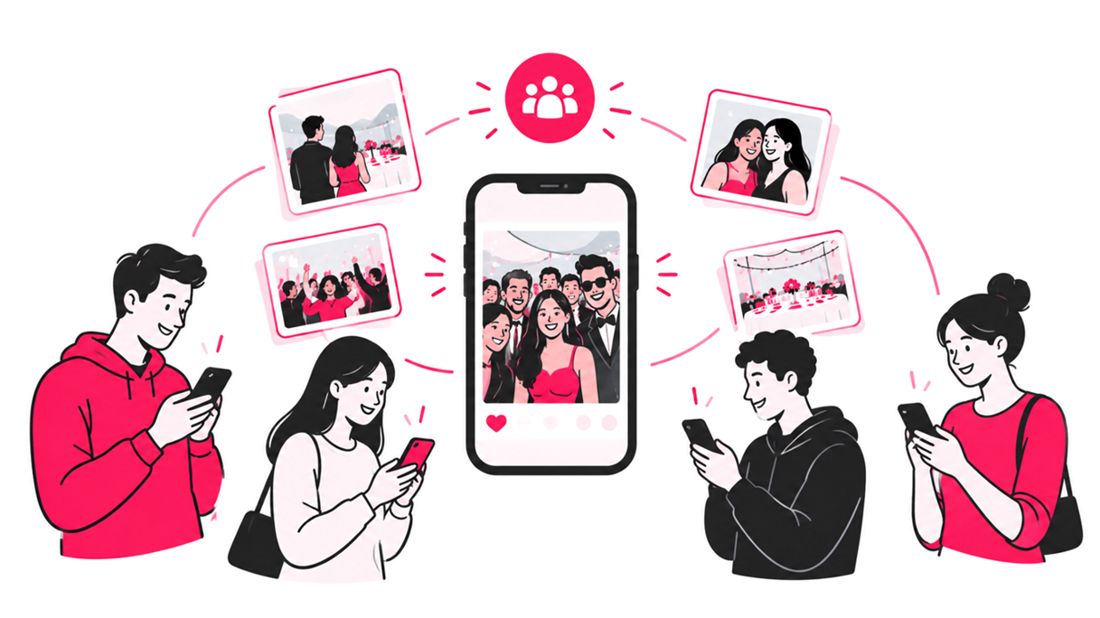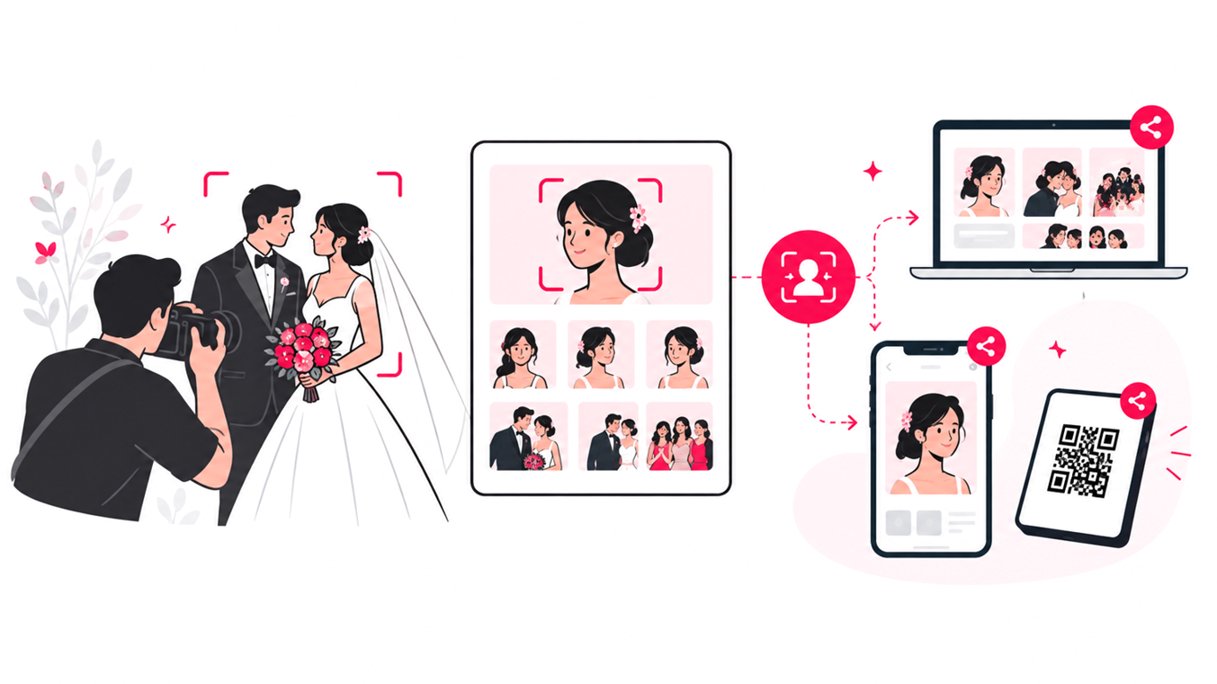
Face recognition photo sharing can help wedding planners, organizers, and photographers turn a large wedding gallery into a faster, more personalized way for guests to find their photos. Instead of asking hundreds of guests to scroll through a shared gallery, organizers can use face-based search to help each person locate images they appear in.
For wedding professionals, the value goes beyond convenience. A face recognition workflow can reduce manual sorting, make professional photos easier to discover, support a more private gallery experience, and give couples a smoother way to share wedding memories with guests.
Modern wedding photo sharing is no longer just about delivering a Google Drive folder or a generic online gallery. It is about making the right images easier to find.
Why Wedding Photo Sharing Becomes Difficult
A wedding photographer can capture thousands of images across the ceremony, reception, portraits, cocktail hour, speeches, dinner, and dance floor.
The challenge starts after the photos are edited.
A conventional workflow usually looks like this:
- The photographer edits and exports the final images.
- The gallery is uploaded to an online platform or cloud storage.
- The couple receives one large gallery link.
- Guests open the gallery and start scrolling.
- Guests message the couple or photographer when they cannot find a particular photo.
That last step is where a simple delivery process can become an ongoing administrative task.
What Is Face Recognition Photo Sharing?
Face recognition photo sharing uses computer vision to identify or match faces within an event photo collection.
For a wedding, the basic experience can work like this:
- The photographer uploads the approved wedding photos.
- The system analyzes faces in the collection.
- A guest opens the wedding photo gallery.
- The guest provides a reference selfie or other supported face image.
- The system finds matching photos.
- The guest can view and download the photos they appear in.
This changes the search experience from “find your photo in the gallery” to “show me the photos I am in.”
For large weddings, that distinction matters.
SnapSeek is designed around this type of one-way event photo sharing workflow. Guests can access a browser-based collection without downloading an app or creating a guest account, while the host controls the collection and how photos are shared.
Read more about using face recognition at weddings here.
6 Ways Face Recognition Helps Wedding Planners and Organizers
1. Guests Find Wedding Photos Faster
The biggest advantage is search.
A guest may appear in dozens of images, but those images could be spread across the ceremony, family portraits, cocktail hour, reception, and dance floor.
Without face-based search, the guest has to browse manually.
With face recognition photo sharing, the guest can search for images associated with their face and move directly toward relevant photos.
This is especially useful for:
- Large weddings
- Multi-day wedding celebrations
- Destination weddings
- Indian weddings with multiple ceremonies
- Weddings with several photographers
- Events with hundreds of guests
- Photo booths and roaming photographers
For planners, a faster search experience means fewer guests asking for help after the event.
2. It Reduces Manual Photo Sorting
Manual organization can become expensive in time, particularly when a photographer has thousands of final images.
Traditional organization may involve creating folders, adding names, tagging people, or relying on guests to identify themselves.
Face recognition can automate part of that discovery process.
The photographer still controls the creative workflow, editing, culling, and final gallery. The technology simply makes the finished collection easier to search.
This distinction is important. Face recognition is not a replacement for professional photo editing. It is a delivery and discovery layer added after the images are ready to share.
3. It Creates a More Personalized Guest Experience
A wedding gallery containing 2,000 or 3,000 photos can feel overwhelming.
Guests generally care most about photos featuring themselves, their friends, their family, and the couple.
Face-based photo search makes the gallery feel more personal because every guest can discover a different subset of the same collection.
Instead of one generic gallery experience, the same wedding gallery can become a personalized photo discovery experience for each attendee.
4. It Can Improve Photo Privacy
Privacy is an important consideration when professional photos include children, family members, VIP guests, or people who do not want their images broadly circulated.
A controlled gallery can give organizers more options than posting a large public folder or sharing every image through social media.
For example, an organizer can use:
- Private collection links
- Optional passwords
- Host-controlled guest visibility
- Matched-photo experiences
- Download controls
- Limited photo retention
For wedding organizers, SnapSeek ensures that privacy is controlled by the host, not the technology. The organizer decides how the gallery is shared, which photos are included, and how guests can interact with the images.
5. It Gives Planners a Better Post-Event Workflow
Wedding planners often become the communication bridge between the couple, photographer, venue, vendors, and guests.
A good photo sharing workflow removes unnecessary coordination.
Instead of repeatedly answering questions such as:
- “Where are the wedding photos?”
- “How do I find the photos of my family?”
- “Can you send me the pictures from the reception?”
- “Do you have the photos from the ceremony?”
the planner can provide one organized photo-sharing experience.
A QR code displayed at the reception or included in the post-event communication can send guests directly to the gallery.
For planners managing multiple weddings, repeatable workflows are particularly valuable.
6. It Makes Professional Photography More Discoverable
A photographer can spend weeks creating a polished wedding gallery. If guests cannot easily find the images they are in, much of that work remains buried.
Easy photo discovery encourages guests to browse, download, save, and potentially share professional images.
That creates an additional benefit for photographers: when guests share professional wedding photos, the photographer’s work can travel beyond the original client relationship.
The key is to make sharing easy without turning the gallery into an uncontrolled public feed.
Face Recognition vs. Traditional Wedding Photo Sharing
The difference is primarily the search experience.
| Feature | Traditional Gallery | Cloud Folder | Face Recognition Gallery |
|---|---|---|---|
| Guest searches by face | No | No | Yes |
| Large photo collections | Yes | Yes | Yes |
| Personalized discovery | Limited | No | Yes |
| Manual scrolling | High | High | Lower |
| Browser access | Usually | Yes | Yes |
| QR code access | Platform dependent | Usually indirect | Yes |
| Host privacy controls | Varies | Basic | Yes |
| Manual guest sorting | Often | Often | None |
| Best for large weddings | Depends | Less ideal | Strong fit |
A cloud folder is still useful for archival delivery and client handoff.
The difference is that cloud storage is primarily designed to store files. A dedicated event photo-sharing platform is designed around helping people discover and interact with event photos.
A Practical Wedding Photo Sharing Workflow
A face recognition workflow does not need to complicate the photographer’s existing process.
Step 1: Capture and edit
Photographers shoot the wedding normally and complete their normal culling and editing process.
Step 2: Create the event collection
Create a dedicated collection for the wedding and configure the desired privacy and guest-access settings.
Step 3: Upload the final photos
Upload the approved images rather than exposing unfinished or duplicate files.
Step 4: Enable face-based discovery
The platform analyzes the uploaded collection and makes face-based searching available to guests.
Step 5: Share the gallery
Place the gallery QR code or link in strategic locations.
Useful placements include:
- Reception tables
- Welcome signage
- Wedding website
- Thank-you email
- Post-wedding message
- Photographer’s delivery email
Step 6: Let guests find their own photos
Guests access the collection, complete the supported face-search process, and browse their matched images.
Step 7: Keep the original archive separate
The guest-facing gallery should not necessarily replace the photographer’s master archive.
Maintain the high-resolution originals and project files according to the photographer’s normal backup and retention policy.
For more workflow ideas, see How to Share Wedding Photos With Guests: 7 Best Ways.
Where Wedding Planners Can Use Face-Based Photo Sharing
Face recognition is not limited to the main wedding day. It can work particularly well for multi-event celebrations.
Cultural Weddings
Cultural weddings may include multiple ceremonies, reception, and other gatherings.
Instead of creating a separate manual process for every group of guests, organizers can structure collections around the events and provide a consistent discovery experience.
Destination Weddings
Destination weddings often bring together guests who may not know everyone attending.
A searchable photo gallery gives guests an easy way to find images from different parts of the celebration.
Luxury Weddings
Luxury wedding planners can treat photo delivery as part of the overall guest experience.
A branded online wedding gallery, custom QR code, private access, and easy photo discovery can feel much more intentional than sending a generic cloud-storage link.
Wedding Photo Booths
Photo booths produce large numbers of images quickly.
Face-based search can help guests find their own booth photos without browsing every image taken throughout the night.
How Planners Should Evaluate a Face Recognition Photo Sharing Tool
Not every facial recognition platform is equally appropriate for weddings. Before selecting a tool, evaluate the complete workflow.
| Evaluation Area | What to Look For |
|---|---|
| Guest access | Browser-based access with minimal friction |
| Search | Reliable face matching and simple guest experience |
| Privacy | Clear biometric data policy and retention rules |
| Host controls | Ability to manage visibility and collection access |
| Sharing | QR codes and simple links |
| Downloads | Easy high-quality image downloads |
| Branding | Customizable gallery experience |
| Storage | Appropriate retention period |
| Workflow | Simple upload and management process |
| Support | Clear documentation and responsive support |
Why QR Codes Work Well With Wedding Photo Sharing
QR codes bridge the physical wedding experience and the digital gallery. A planner can place a small sign near the reception exit saying where guests can find the professional photos. Guests scan the code with their phones and continue in the browser.
This removes several common points of friction.
There is no need to search for an email, remember a complicated URL, or manually type a long link. The result is a simple workflow:
See QR code → Open gallery → Find your photos → Download or share
Read more about how to speed up the photo delivery process.
The Future of Wedding Photo Delivery Is Searchable
Wedding photography has traditionally been optimized around capturing and editing images. The next challenge is discovery.
As wedding galleries become larger and couples expect faster digital experiences, simply giving guests a folder full of files is becoming less useful.
Face recognition photo sharing addresses that specific problem by connecting people with the images they are actually looking for.
The technology does not need to replace the photographer’s creative process. It can sit quietly behind the scenes and make the final delivery more useful.
That is where AI becomes practical in wedding photography: not as a gimmick, but as a way to remove repetitive work and improve the guest experience.
FAQ
What is face recognition photo sharing for weddings?
Face recognition photo sharing uses facial matching technology to help wedding guests find photos they appear in. Instead of manually scrolling through a large wedding gallery, guests can use a supported face-search method to discover relevant images.
How do wedding guests find their photos with face recognition?
Guests typically open the wedding gallery and provide a reference image or selfie, depending on the platform. The system then searches the event collection for photos containing a matching face.
Can wedding photographers use face recognition with large galleries?
Yes. Face recognition is particularly useful for large wedding galleries where guests would otherwise need to manually browse hundreds or thousands of photos.
Can guests access wedding photos without downloading an app?
Some event photo-sharing platforms provide browser-based access, allowing guests to open a gallery from a link or QR code without installing an app. SnapSeek uses a browser-based guest experience so no app download is required.
How can wedding planners share photos with guests?
Wedding planners can share a dedicated online wedding gallery through a QR code, wedding website, email, text message, or post-event communication. A face-search feature can make it easier for each guest to find their own images.
Is a Google Drive folder good for sharing wedding photos?
Google Drive can work well for file storage and client delivery, but it is not specifically designed around personalized guest photo discovery. A dedicated wedding photo-sharing platform can provide tools such as face search, QR access, guest controls, and a more focused gallery experience.
Conclusion
The goal of wedding photo sharing is not simply to upload thousands of images. It is to help the right people discover the right memories without creating more work for the photographer, couple, or planner.
Face recognition can turn a large wedding gallery into a personalized discovery experience, while QR codes and browser-based access make the process simple for guests.
For wedding planners, organizers, and photographers looking to modernize how they deliver event photos, SnapSeek provides a practical way to combine AI face recognition, private galleries, QR sharing, and easy guest photo discovery in one workflow.
Explore SnapSeek and give every wedding guest a simpler way to find their photos.