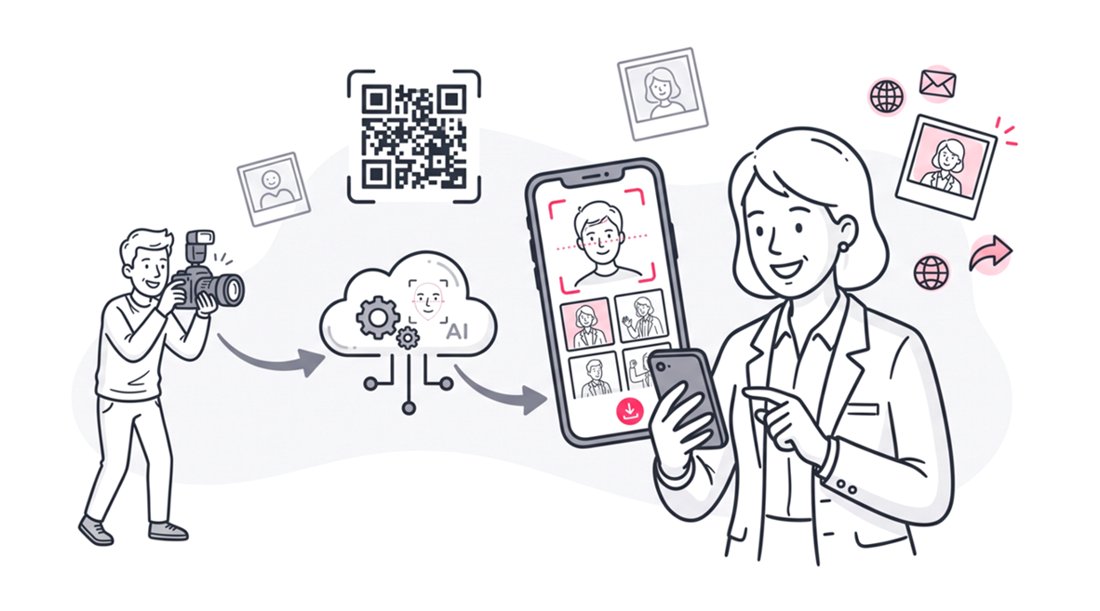
To use face recognition on Google Drive photos, you must integrate your cloud storage with a dedicated photo sharing web application like SnapSeek. Because native cloud storage lacks public facial recognition, photographers connect their Google Drive folder via a secure API. This one-way import scans the images instantly, allowing event guests to locate their personal photos seamlessly by uploading a quick selfie.
Why Google Drive Falls Short for Event Photo Delivery
Photographers often default to familiar tools when delivering final galleries to clients. Google Drive is ubiquitous, free, and generally reliable for standard file hosting. However, using it as a client-facing delivery mechanism for large-scale events creates immense friction.
When an event organizer emails a standard cloud link to 500 attendees, chaos ensues. Guests are greeted by a wall of tiny thumbnails that take forever to load on mobile connections. They must manually pinch, zoom, and squint to find themselves in the massive digital crowd.
This manual search process is frustrating and heavily time-consuming for everyone involved. It often results in attendees abandoning the gallery altogether without downloading a single image. A poor delivery experience reflects poorly on the photographer, regardless of how beautiful the actual photographs are.
The Missing Native Face Search Feature
The biggest technical limitation of native cloud storage is the lack of public-facing artificial intelligence. While Google possesses powerful image recognition technology internally, it does not extend this feature to public folder sharing. You cannot simply share a folder and expect guests to search by face natively.
Attempting to hack a solution using native cloud tools almost always fails. Even if you tag files meticulously, sharing those specific facial matches with individual guests remains practically impossible. If you are looking for a broader overview of this concept, you can read our guide on how to find people in Google Drive & Dropbox via face match.
Security and Privacy Limitations
Corporate events, private weddings, and exclusive parties demand a high level of discretion. Sharing a master folder link exposes every single photograph to every single attendee at the event. Anyone with the link can view, download, or screenshot images of other guests without their permission.
This lack of privacy is a major liability for professional event photographers. You cannot easily restrict a guest to only viewing their own photos using native cloud permissions. You need a system that intelligently isolates images based on biometric data, which native storage simply cannot provide.
The SnapSeek Web App Solution for Photographers
Bridging the gap between secure storage and intelligent delivery requires a highly specialized tool. SnapSeek is engineered specifically to solve the distribution bottlenecks that high-volume photographers face daily. It acts as a sophisticated web application that layers artificial intelligence over your existing cloud workflow.
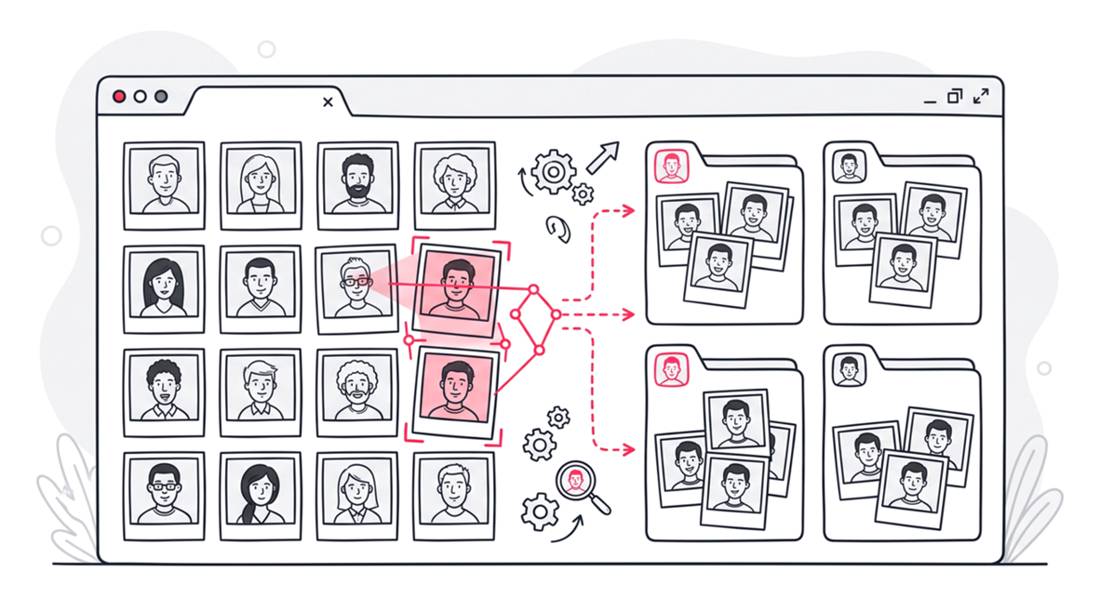
This platform completely eliminates the need for manual gallery curation. You no longer have to spend late nights dragging files into dozens of separate sub-folders for different VIPs. The system automates the entire sorting process using advanced facial recognition algorithms.
Strictly One-Way Photo Distribution
It is critical to understand the architectural philosophy behind this platform. SnapSeek operates on a strict one-way photo sharing model. This means only the host or the official event photographer has the authority to upload images to the system.
Guests cannot upload their own photos, and there are absolutely no collaborative albums. This design choice maintains the professional integrity of your final gallery. It prevents your high-quality professional shots from being diluted by blurry smartphone pictures taken by attendees.
Zero Guest App Downloads Required
Friction is the ultimate enemy of guest engagement. Asking a busy corporate attendee to navigate to an app store, download a new application, and create an account is an unreasonable request. They will simply ignore the gallery link and complain to the event organizer.
SnapSeek functions entirely as a browser-based web application. Guests click a link, open their default mobile browser, and access the gallery instantly. This frictionless experience ensures maximum participation and incredibly high download rates for your images.
Deep Dive into the Cloud Integration Technical Mechanics
Connecting a massive cloud archive to a face recognition engine requires robust technical infrastructure. The system uses secure API protocols to ensure data flows quickly and safely between the platforms. Understanding this backend process provides peace of mind for professionals managing sensitive client data.
Safe and Private Connection (Read-Only Access)
Connecting your Google Drive is simple and completely safe. When you link your account, you only grant “view-only” access to the specific folder you pick - never your entire drive or personal files.
Because access is strictly view-only, your master photos can never be accidentally edited, renamed, or deleted. The system simply looks at the pictures to spot faces, leaving all your original files completely untouched and secure in your cloud storage.
Fast & Efficient Face Recognition Process
Once the photos are imported from google drive, the platform instantly scans every photo for faces. It analyzes key facial points-eyes, nose, and jawline-to create a unique mathematical signature for each person.
This entire process happens quickly in the background, allowing you to upload thousands of high-resolution images without interruption. The system is designed to be fast and efficient, saving you hours of manual sorting.
Step-by-Step Guide to Importing Google Drive Photos
Transitioning to an automated AI workflow is surprisingly simple for modern professionals. You can set up a new event and initiate the indexing process in under five minutes. Follow these precise steps to deploy your next intelligent gallery effortlessly.
Step 1: Prepare Your Master Cloud Folder
Your workflow always begins in your preferred editing suite, such as Lightroom or Capture One. Cull your images, apply your presets, and export the final high-resolution JPEGs. Upload this final batch of images directly into a clearly named folder within your Google Drive.
Ensure that all files have finished uploading before moving to the next step. It is best practice to organize your cloud storage by year and event name for easy retrieval. Maintain your standard file naming conventions, as the system does not require you to rename files for the AI to work.
Step 2: Authenticate and Sync with the Web Platform
Log into your professional SnapSeek dashboard and create a new gallery event. Select the option to import from external cloud storage and choose the Google integration tool. A secure pop-up window will ask you to authenticate your account credentials.
Once authenticated, navigate through your folder tree and select the specific event folder. Click the import button to initiate the transfer to SnapSeek. The system will immediately begin uploading the photos from google drive into SnapSeek.
Step 3: Background AI Face Indexing
As the files are uploaded, the artificial intelligence immediately begins its face recognition process. You will see a progress bar indicating how many photos have been successfully processed.
The system is designed to handle massive file throughput. Even a sprawling multi-day corporate conference with ten thousand images will index smoothly and efficiently.
Step 4: Distribute the Selfie Search Link
Once the indexing is complete, the gallery is ready for public consumption. The dashboard generates a unique web URL and a high-resolution QR code for physical deployment. You can integrate this QR code into physical signage at the venue or email the URL to the attendee list.
The guest experience is magical and entirely instantaneous. They open the link, snap a quick selfie using their front-facing camera, and the system matches their face against the uploaded photos. To understand this guest experience in detail, review our guide on how attendees find their photos with a selfie.
Comparing Native Storage Versus AI Web Apps
Choosing the right distribution method dictates the success of your post-event workflow. Relying on outdated methods costs you time and diminishes the perceived value of your photography. The table below illustrates the stark operational differences between native cloud folders and intelligent web applications.
| Feature Component | Native Google Drive Folder | SnapSeek Web App Integration |
|---|---|---|
| Artificial Intelligence | Internal only, no public use | Instant selfie search for all attendees |
| The Guest Experience | Endless manual scrolling | Frictionless personalized photo feeds |
| Software Architecture | Desktop/Web/Mobile app | Lightweight browser-based web application |
| Content Upload Model | Collaborative or host-only | Strictly one-way host distribution |
| Privacy and Security | Folder-level link access only | Individual photo isolation by facial match |
Advanced Workflow Optimization for Large Scale Events
High-volume event photographers face unique logistical challenges. When shooting endurance sports, massive trade shows, or university graduations, efficiency is the only way to remain profitable. Optimizing your import pipeline is crucial for achieving fast turnaround times.
Batch Processing Massive File Sizes
Top-tier professionals shoot on high-megapixel sensors, resulting in extremely large JPEG files. Our infrastructure is built to handle heavy data loads, processing files up to 30MB each without hesitation. You do not need to run an extra export batch to compress your images for web delivery.
When a guest chooses to download an image, they receive the high-resolution photos directly from your cloud archive.
Leveraging AI Photo Delivery for Business Growth
Transforming your delivery method does more than just save time on administrative tasks. It creates a powerful marketing funnel that can actively grow your photography business. The speed and precision of AI delivery generate immense goodwill and excitement among event attendees.
Capturing Qualified Marketing Leads
Event organizers are always looking for better ways to measure their return on investment. By gating the selfie search feature behind an email capture form, you provide massive analytical value. You can turn a simple photo gallery into a highly effective lead generation tool.
Guests are highly motivated to enter their contact information in exchange for high-quality professional portraits. This provides the event host with a verified list of highly engaged attendees. You can easily learn more about event photo strategy to further elevate your brand offering.
Establishing Premium Brand Authority
The photography market is highly competitive and saturated. Delivering a modern, frictionless experience sets you apart. Clients intrinsically associate advanced technology with premium service quality.
When guests easily locate their photos in seconds, they associate that positive feeling with your business. This directly leads to higher social media sharing rates and stronger word-of-mouth referrals. For more insights on maximizing this specific strategy, you can read our comprehensive guide on how to share event photos.
FAQ
Does SnapSeek modify the original photos stored in my Google Drive?
No, SnapSeek only reads the photos from your connected Google Drive account for facial recognition but never alters, compresses, or deletes your original master files.
Do guests need to download a mobile app to find their photos?
No, SnapSeek is strictly a browser-based web application. Guests simply open the gallery link in their standard mobile browser, take a selfie, and view their matched photos instantly without any app downloads.
Can guests upload their own photos to the event gallery?
No, SnapSeek utilizes a one-way photo sharing model. Only the host or the professional photographer can upload images, ensuring the gallery remains a highly curated collection of professional work.
Is it possible to use facial recognition directly inside a standard cloud folder?
No, standard cloud storage solutions do not offer public-facing facial recognition for shared links. You must connect your storage folder to a specialized AI sorting web app to enable selfie search capabilities for guests.
Conclusion
Relying on outdated file-sharing methods limits your business growth and frustrates your clients. By integrating your existing cloud storage with advanced facial recognition technology, you eliminate post-production bottlenecks. Your guests receive instant gratification, and you reclaim hours of valuable time previously spent sorting files.
Stop forcing attendees to scroll through thousands of irrelevant thumbnails. Upgrade your delivery infrastructure and provide a premium, frictionless experience that matches the high quality of your photography. Connect your cloud archive to SnapSeek today and let artificial intelligence handle the sorting for your next event.