To use face recognition to find people in Google Drive or Dropbox, you must connect your cloud folders to a dedicated photo sorting web application like SnapSeek. Google Drive and Dropbox are built for secure file storage and do not natively support robust facial recognition for public gallery sharing. The most effective workflow is to store your original edited files in your cloud storage, then import that specific folder into a sorting platform to automatically match faces and deliver personalized albums to event guests.
Event photography is a fast paced industry that demands efficiency and professionalism. After a long day of shooting, photographers face the daunting task of sorting hundreds or thousands of images. Clients expect rapid turnaround times. Guests want their specific photos immediately.
Delivering these images presents a significant logistical challenge. Professional photographers have relied on standard cloud storage solutions for years. These tools are excellent for archiving but lack the necessary features for efficient client delivery.
This guide explores how to integrate advanced sorting technology with your existing storage solutions. You will learn the exact post-event workflow to share event photos efficiently. We will cover why traditional platforms fall short and how specialized web applications solve this problem. For a full side-by-side breakdown, visit our dedicated SnapSeek vs Google Drive Comparison Page or SnapSeek vs Dropbox Comparison Page.
The Core Problem with Cloud Storage for Photographers
Google Drive and Dropbox were designed to serve as digital filing cabinets. They excel at keeping high resolution files safe and organized in a strict folder structure. They are not built to act as dynamic, user friendly galleries for large crowds.
When you try to share event photos using a standard cloud link, you create a frustrating experience. Guests are forced to scroll through a massive grid of thumbnails. They waste time hunting for the few images where they actually appear.
This manual searching process damages the perceived value of your photography services. A premium event requires a premium delivery experience. Simply handing over a massive folder of unsorted images no longer meets modern client expectations.
Why Google Drive Falls Short for Face Matching
Many users wonder if they can find people in Google Drive using native tools. While Google Photos has consumer grade face tagging, Google Drive does not offer this feature for shared public folders. Drive prioritizes file security and document management over visual content delivery.
Attempting to force Google Drive to act as a smart gallery is a mistake. You cannot search by face in a standard Drive folder without third party workarounds. Even if you manage to index the files locally, sharing those specific facial matches with individual guests remains a challenge within the native app.
Furthermore, giving guests access to a Google Drive folder can lead to accidental downloads of the entire gallery. It creates unnecessary bandwidth usage. It also removes the polished, branded experience that professional photographers need to maintain.
The Limitations of Dropbox for Event Delivery
Dropbox is another industry standard for storing large RAW files and finalized exports. It is incredibly reliable for transferring files between editors and backup drives. However, trying to execute a Dropbox face match directly within their interface is impossible.
Dropbox lacks the native computer vision required to scan a folder and group images by identity. Photographers who rely solely on Dropbox for delivery are forced to create subfolders for every single guest. This manual sorting process is tedious, error prone, and completely unscalable for large events like weddings or corporate galas.
You need a system that bridges the gap between secure storage and intelligent delivery. Your storage provider should hold the files. Your delivery platform should handle the sorting.
The Face recognition process for Google Drive & Dropbox
To truly leverage face recognition for photos in Google Drive & Dropbox, you must adopt a modular workflow. This means using different tools for their specific strengths. You do not need to abandon your current cloud storage to get smart sorting features.
The key is to separate your storage layer from your delivery layer. This protects your original files while providing an interactive experience for the end user. Here is the exact post-event workflow that top tier professionals use today.
Step 1: Secure Storage in the Cloud
The process begins after you have finished shooting and editing. It is important to note that this is strictly a post-event workflow.
You return to your studio, cull the images, and apply your final color corrections. Once the final JPEG files are ready, you upload them to your preferred folder in Google Drive or Dropbox. This folder acts as your master archive.
You maintain complete ownership and control over these high resolution files. The cloud storage remains your single source of truth for the event data.
Step 2: Importing Folders to a Sorting Platform
Once your files are safely in the cloud, you connect that specific folder to a web application designed for photo sorting. Platforms like SnapSeek integrate directly with cloud storage APIs. This allows you to import Google Drive photos for face recognition without moving the original files manually.
This import process is entirely one-way. The platform reads the images in your Drive or Dropbox but does not alter or delete them.
Step 3: Automated Face Matching
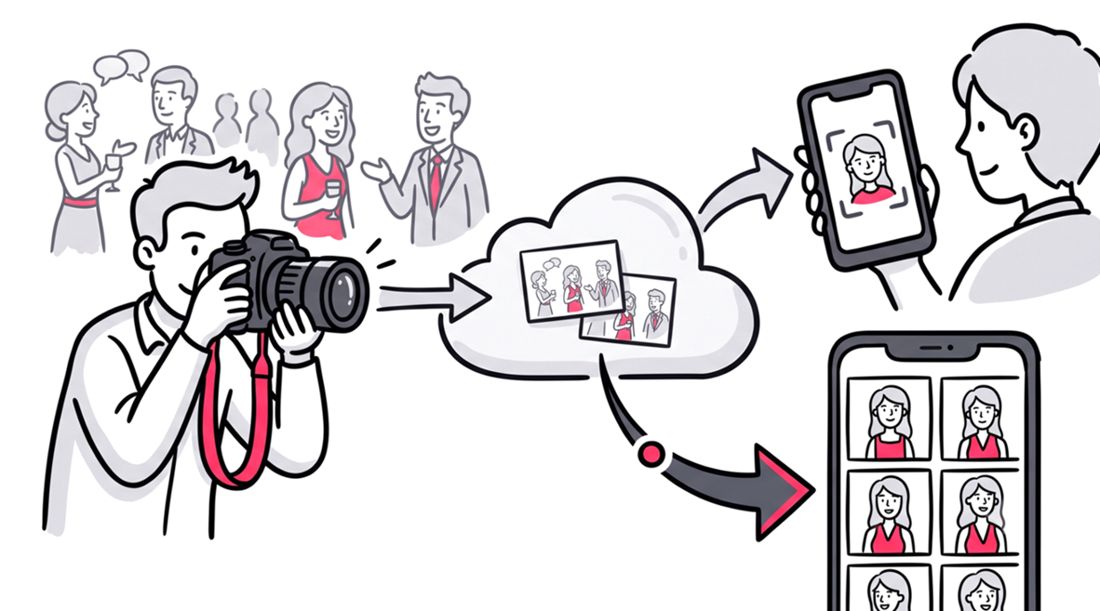
This is where the actual face recognition occurs. The web application scans the imported gallery and indexes every face present in the photos. It is crucial to understand that this is a photo sharing and sorting platform, not an AI photo editor.
The system does not alter the pixels, change the lighting, or modify your artistic vision. It simply analyzes the facial geometry to create a searchable database. This sorting happens in the background, saving you countless hours of manual tagging.
Step 4: Frictionless Delivery
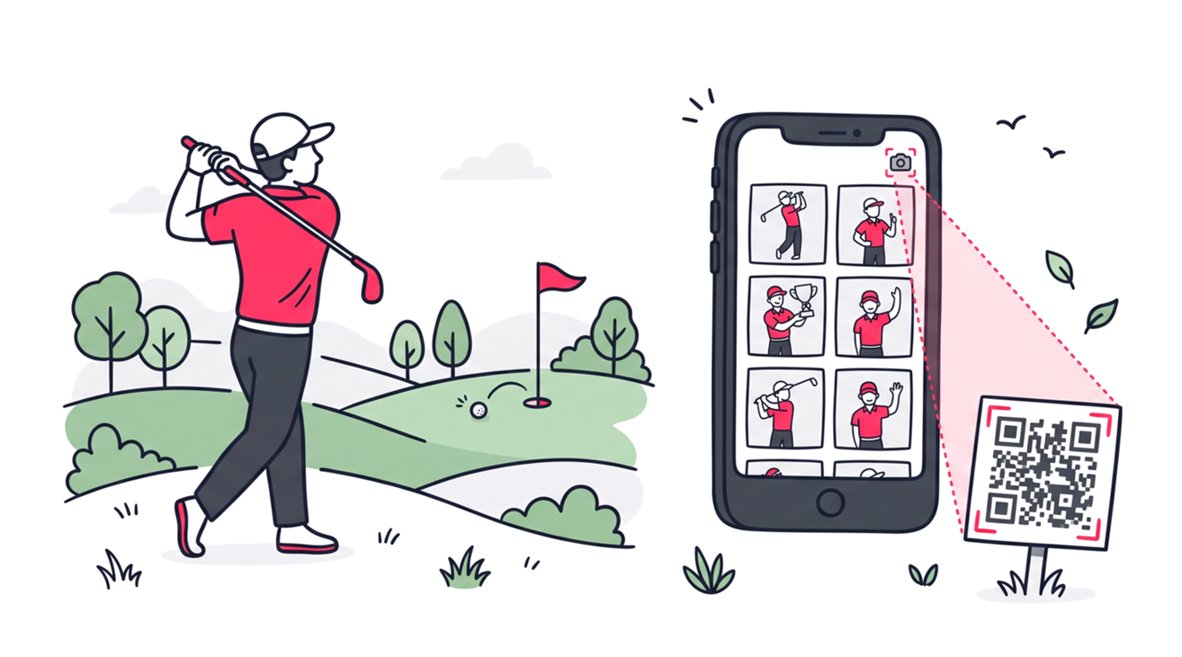
With the gallery sorted, you generate a single link or QR code for the event. You share this link with the event organizer, who distributes it to the guests. Guests click the link and take a quick selfie using their device camera.
The platform instantly cross references their selfie with the indexed gallery. Within seconds, the guest sees a personalized feed containing only the photos they appear in. They get immediate gratification without any manual searching.
Learn more about how to share event photos with qr code using SnapSeek.
Why Web Applications Outperform Mobile Apps for Guests
When choosing a platform to execute a Google Drive or Dropbox face match, accessibility is paramount. You must consider the user experience of the event guests. They are the final consumers of your product.
Guests do not want to jump through hoops to see their photos. The delivery mechanism must be as frictionless as possible. This is why web-based solutions are superior to native mobile applications.
Eliminating the Download Barrier
SnapSeek operates entirely as a web application. There is absolutely no mobile application for guests to download from an app store. This removes a massive point of friction from the delivery process.
Asking a guest to download a dedicated app, create an account, and verify their email just to view three photos is unreasonable. A web platform allows them to access their personalized gallery directly through their mobile browser. They click the link, snap a selfie, and view their images instantly.
You can read more about how to share event photos without app downloads here.
Protecting Your Original Files with One-Way Sharing
Another critical aspect of professional delivery is maintaining the integrity of the gallery. SnapSeek utilizes a strict one-way sharing model. Photographers push their curated, professionally edited photos to the guests.
Guests cannot upload their own photos to the platform. This ensures that the event gallery remains a pristine representation of your professional brand.
Cloud Storage versus Dedicated Sorting Platforms
To make the differences clear, let us compare the functional capabilities of traditional cloud storage against a dedicated web application. This table highlights why a combined approach is necessary.
| Feature | Google Drive / Dropbox | SnapSeek Web Platform |
|---|---|---|
| Primary Function | Secure File Storage | Smart Sorting & Delivery |
| Guest Accessibility | Scroll through Grid View | Instant Personalized Feed |
| Facial Recognition | None | Automated Face Matching |
| App Requirement | Sometimes | Pure Web App (No Downloads) |
| Gallery Curation | Mixed Files and Folders | One-Way Professional Delivery |
As the table demonstrates, relying solely on cloud storage for client delivery leaves critical features on the table. You need both systems working in tandem.
Maintaining Control over Your Professional Gallery
Your brand reputation is built on the final product you deliver to the client. The way you present your images is just as important as the images themselves. An unorganized photo gallery reflects poorly on your business.
By utilizing a smart photo sorting platform, you elevate the perceived value of your services. You transition from being a vendor who just hands over files to a technology forward professional who provides a premium experience.
Smart Branding Features for Your Event Photos
As much as the core functionality of SnapSeek is to sort and deliver photos, it also offers several features to enhance the overall experience. With SnapSeek, you can completely customize your event galleries to reflect your brand. Add your logo, brand colors, and custom messaging to create a personalized experience for your clients. You can also white-label the photo gallery to remove any mention of SnapSeek and create a seamless experience for your clients.
Simple Pricing Without Subscription Traps
Software expenses can quickly eat into a photographer’s profit margins. The industry is flooded with subscription based tools. Professionals have to keep on paying monthly fees for tools they only use during the busy season.
This is why modern platforms are moving away from restrictive pricing models. SnapSeek does not utilize a subscription pricing model. Photographers benefit from flexible, pay-as-you-go pricing that scales with their actual usage.
Enhancing the Client Experience at Scale
Whether you are shooting a corporate retreat with five hundred attendees or an intimate wedding, scalability matters. The manual effort required to deliver photos should not increase linearly with the guest count.
Automated face matching completely flatlines your post-production delivery time. It takes the same amount of effort to share photos with ten guests as it does with a thousand. This efficiency allows you to take on more clients and grow your business.
Speed to Delivery
In the digital age, speed is a competitive advantage. Guests want to post their professional photos on social media while the event is still fresh in their minds. If you take too long to deliver a Dropbox link, the momentum is gone.
By importing your cloud folders into a sorting web application, you can deliver personalized galleries within hours of finishing your edits. This rapid turnaround generates incredible word of mouth marketing for your photography business.
Privacy and Data Security
When handling images of people, privacy must be a top priority. A smart web application adds a layer of privacy through facial verification.
Guests only see the photos they appear in, rather than browsing the entire event catalog. This is particularly important for corporate events and private parties where attendees value discretion.
SnapSeek also offers additional privacy features such as password protected galleries and custom access controls. This ensures that the photos are only accessible to authorized individuals and provides peace of mind to both the event organizer and the individual guests.
FAQ
Can I search by face directly inside a shared Google Drive folder?
No. Google Drive does not support facial recognition searches for shared public folders. You must connect your Drive to a dedicated photo sorting platform to enable this feature for guests.
Does the guest need to download an app to find their photos?
No. The delivery platforms like SnapSeek operate entirely as web applications. Guests simply click a link, take a selfie in their mobile browser, and instantly view their matched photos without downloading anything or creating an account.
Will connecting my Dropbox to a sorting platform alter my original edited files?
Professional platforms like SnapSeek use a one-way sync. The web application reads the visual data to sort the gallery but does not edit, compress, or delete the original high-resolution files stored in your Dropbox.
Is SnapSeek an AI photo editor?
SnapSeek is strictly a photo-sharing and sorting platform. It uses facial recognition solely to route the correct images to the correct guests, preserving your original artistic edits completely untouched.
Do I need to download and re-upload photos from Google Drive/Dropbox to the SnapSeek platform?
On SnapSeek, you can simply import your photos directly from Google Drive/Dropbox. No need to manually download and re-upload files. It is a very streamlined and straightforward process.
Conclusion
Trying to use face recognition to find people in Google Drive or Dropbox? These platforms are incredible for archiving your high resolution files, but they do not provide facial recognition or an automated delivery system. Professional photographers need a smarter workflow.
By keeping your master files in cloud storage and importing them into a dedicated sorting web application, you get the best of both worlds. You maintain total control over your assets while providing a frictionless, magical experience for event guests. Upgrade your delivery workflow today with SnapSeek and let automated sorting handle the heavy lifting.