Event photography is a demanding profession that requires precision and endurance. Capturing moments across a three-day corporate conference or a weekend-long wedding festival generates thousands of high-resolution images. The real challenge begins after the final shutter clicks. Organizers and photographers must figure out how to share event photos with a large crowd efficiently.
Traditional delivery methods often create friction for both the professional and the attendees. Dumping thousands of unsorted images into a single digital folder leads to a poor user experience. Guests do not want to scroll through endless thumbnails to find themselves. They expect a seamless photo sharing app experience that delivers their memories instantly. For single-day galas or standard corporate events, consult our foundational comprehensive event photo sharing guide for baseline gallery setup.
Building an organized digital structure is critical for maintaining professional standards. When photographers streamline their delivery process, they increase client satisfaction and generate more referrals. This guide explores the most effective ways to structure and deliver massive galleries for multi-day events.
The Logistics of High-Volume Event Photography
Managing data from a multi-day event requires a robust strategy. Photographers often deal with multiple camera bodies, various lenses, and several memory cards per day. Keeping this data organized before it even reaches a web application is the first step toward success.
Sorting the Initial Raw Files
The sorting process must begin immediately after the event concludes. Professionals cull their raw files to remove duplicates, blurs, and misfires. This initial pass ensures that only the highest quality images make it to the final editing phase.
Once the culling is complete, batch editing tools help maintain a consistent aesthetic across all photos. Consistency is vital when dealing with different lighting conditions over a weekend. A well-edited gallery reflects the true atmosphere of the event.
Preparing for Client Handoff
After exporting the final JPEGs, the next hurdle is digital organization. Photographers must consider the end user when structuring their files. A client does not view a gallery the same way a photographer views a hard drive.
Event organizers need a streamlined way to distribute these assets to their guests. They require an intuitive web application that bypasses complex login screens and mandatory app downloads. Simplifying the handoff process saves everyone valuable time.
Why Traditional Cloud Storage Fails for Large Crowds
Many photographers default to generic cloud storage links when delivering their work. These platforms are excellent for internal file management. However, they fall short when tasked with public distribution to hundreds of attendees.
Generic platforms lack the specialized tools required for the best AI photo sharing experience. They present images as static files rather than an engaging gallery. Guests are forced to manually hunt for their faces among thousands of strangers.
Furthermore, traditional storage does not protect the professional integrity of the gallery. Unrestricted access can lead to messy folders if guests are allowed to upload their own low-quality smartphone snaps. Maintaining a pristine collection requires a dedicated one-way photo sharing platform.
Structuring Your Galleries With Sub-Folders
The most effective way to manage a multi-day event is through chronological or thematic categorization. Breaking a massive collection into manageable sub-folders transforms the viewing experience. It turns an overwhelming wall of images into an organized visual narrative.
Organizing by Day and Session
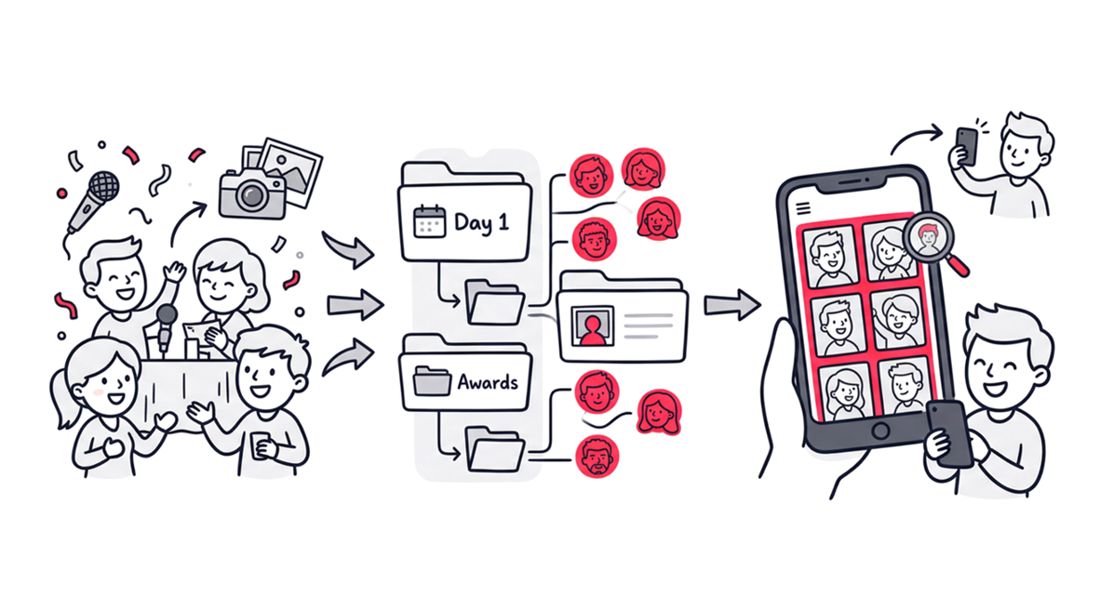
Consider a three-day industry summit. The gallery should logically separate Day One, Day Two, and Day Three. Within those daily folders, you can create deeper sub-folders for Keynote Speeches, Breakout Sessions, and Networking Dinners.
This hierarchical structure mimics the actual schedule of the event. Attendees can intuitively navigate to the specific sessions they attended. It drastically reduces the time spent searching for relevant content.
Moving Photos Across Sub-Folders
Flexibility within your file structure is incredibly important. Sometimes an image fits better in a different category after the initial upload. A high-quality photo sharing web application allows you to move photos across sub-folders with ease.
This dynamic organization means you are never locked into your first draft. If the client requests a “Best Of” highlight folder, you can effortlessly transfer select images from various days into a new centralized location. Organizing the gallery remains a fluid and adaptable process.
The Power of a Unified Access Point
Security and accessibility often sit on opposite ends of the spectrum. You want the gallery to be private, but you also want attendees to access it without frustration. Sharing multiple links for different days creates unnecessary confusion.
One QR Code for the Entire Collection
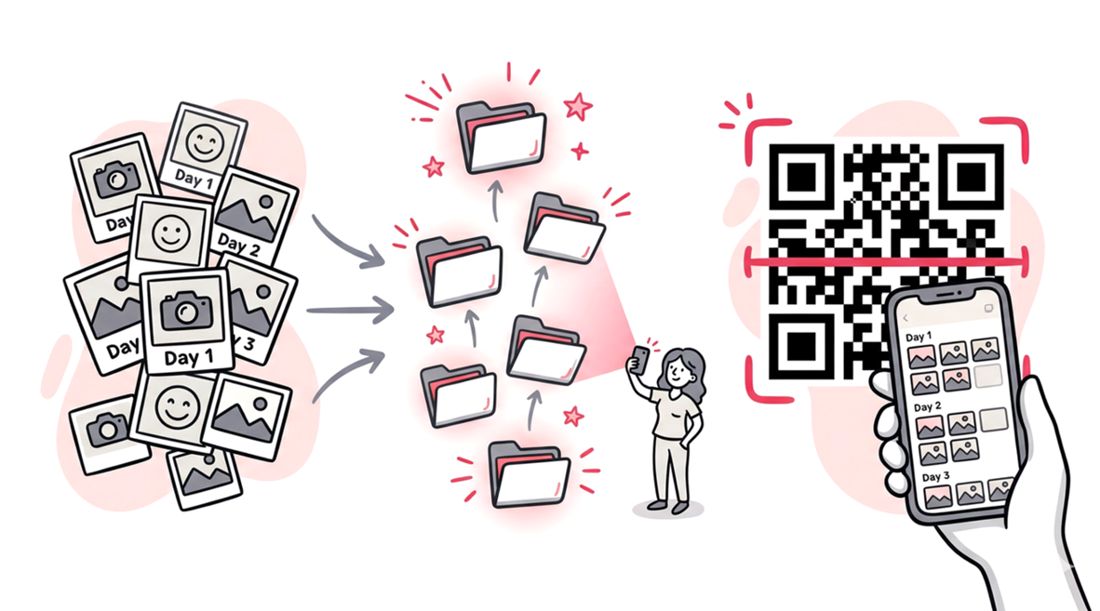
The solution is a unified access strategy. Modern platforms allow you to generate one QR code for the entire collection. This single code grants access to the master gallery, which cleanly houses all the interior sub-folders.
Event organizers can print this single QR code on lanyards, display it on digital signage, or include it in post-event emails. Guests scan the code once and instantly gain access to the complete chronological breakdown. It eliminates the need for guests to keep track of multiple links.
Bypassing Mandatory App Downloads
Attendees are notoriously hesitant to download new software for a single event. Forcing guests to install a mobile application creates a massive barrier to entry. The ideal workflow utilizes a responsive web application that opens directly in their default mobile browser.
When guests scan the single QR code, they should land on a beautifully branded web page. This frictionless entry increases user engagement and guarantees that your photos actually get seen. It is the definition of a seamless photo sharing app experience.
Leveraging AI Facial Recognition
Even with perfectly organized sub-folders, guests still have to browse. For a massive corporate retreat, an attendee might only be in five pictures out of two thousand. This is where artificial intelligence transforms the delivery workflow.
Advanced web applications like SnapSeek utilize facial recognition to automate the search process. Guests simply take a quick selfie when prompted by the platform. The system then scans the entire collection, including all sub-folders, to locate their exact matches.
This technology delivers a hyper-personalized gallery to every single attendee in seconds. It represents the pinnacle of the best AI photo sharing technology available today. The photographer focuses on capturing great images, and the AI handles the targeted distribution.
Maintaining Professional Control Over Uploads
A curated professional gallery must remain pristine. Many generic event apps encourage a collaborative approach where everyone uploads their own pictures. This drastically dilutes the quality of the final product.
To protect your brand, you must utilize a one-way photo-sharing tool. In this environment, only the host or the official photographer can upload high-resolution images. Guests are granted view and download privileges only.
SnapSeek is specifically designed around this one-way philosophy. It does not capture photos directly, nor does it allow guests to clutter the collection with blurry smartphone snaps. It serves purely as a premium distribution channel for your finalized professional work.
Integrating SnapSeek Into Your Workflow
Adopting a new digital tool should simplify your life, not complicate it. SnapSeek integrates smoothly into existing photography workflows. You continue to shoot and edit exactly as you always have.
Once your files are ready, you upload them to the SnapSeek web application. You then organize the images into custom sub-folders based on the event schedule. Finally, you generate the single QR code for the client to distribute.
This process positions you as a tech-forward professional. Clients appreciate vendors who bring innovative solutions to the table. Offering an AI-powered delivery system is a powerful upselling tool that justifies premium pricing.
For more insights on setting up professional workflows, you can read our detailed guide on how to handle Event Photography Workflow.
Comparing Photo Sharing Methods for Large Events
Understanding the differences between delivery platforms helps you make informed business decisions. The following table highlights why specialized web applications outperform generic alternatives.
| Feature | Generic Cloud Storage | Social Media Albums | SnapSeek Web App |
|---|---|---|---|
| Organization | Basic Folders | Chronological Only | Custom Sub-Folders |
| Guest Access | Shared Link | Account Required | One QR Code via Browser |
| Search Method | Manual Scrolling | Manual Scrolling | AI Facial Recognition |
| Quality Control | Uncompressed | Highly Compressed | Uncompressed |
| Upload Rights | Often Collaborative | Collaborative | Strict One-Way (Host Only) |
As the data shows, generic options lack the specialized features needed for high-volume crowds. A dedicated platform prioritizes both the photographer’s control and the guest’s convenience. For an in-depth breakdown of retrieval speeds and guest engagement, check out our comparison between AI photo matching vs. manual event galleries.
Best Practices for Client Communication
The technology is only effective if the attendees know how to use it. Clear communication is essential for a successful gallery rollout. Photographers must work closely with event organizers to ensure a smooth handoff.
Provide the organizer with the single QR code well in advance. Suggest strategic placements for the code, such as on the back of event badges or projected onto screens between speaker sessions. The easier it is to find, the higher the engagement rate will be.
Educate the client on the benefits of one-way photo sharing. Explain that restricting guest uploads guarantees a beautiful, professional gallery that reflects well on their brand. You can find more tips on client communication in our article on One-Way Photo Sharing for Events.
Ensuring Data Privacy and Security
When utilizing AI facial recognition, privacy is a common concern. It is important to assure clients that their data is handled responsibly. A secure web application processes images safely without selling data to third parties.
Guests only see the photos they are matched with, alongside the public gallery. This ensures that sensitive moments remain protected. Professional platforms prioritize data security just as much as they prioritize speed and convenience.
FAQ
How do I share thousands of photos from a weekend event with all the attendees?
To effectively share thousands of photos, organize the images into specific sub-folders based on the day or session. You can then use a platform like SnapSeek to generate a single QR code for the entire collection, allowing guests to access the organized gallery instantly without downloading an app.
Can guests upload their own photos to the shared gallery?
No, maintaining professional quality requires a one-way photo-sharing approach. Only the host or the designated professional photographer can upload images to the platform, ensuring the gallery remains pristine and free of low-quality smartphone pictures.
How does AI facial recognition help guests find their photos?
AI facial recognition allows guests to take a quick selfie on the web application. The system then scans the entire event collection, including all sub-folders, and instantly retrieves only the high-resolution images featuring that specific guest.
Do I have to create a different QR code for every single folder?
No, SnapSeek allows you to create sub-folders inside a main collection and share just one QR code for the entire setup. Guests scan the code once and can navigate through all the available sub-folders.
What happens if I put an image in the wrong folder during upload?
If an image is categorized incorrectly, you can easily select and move photos across sub-folders within the web application. This flexibility allows you to adjust and refine your gallery structure at any time after the initial upload.
Conclusion
Managing a multi-day event gallery does not have to be a logistical nightmare. By utilizing intuitive sub-folders, you can build a logical structure that mirrors the event schedule. Pairing that structure with a single QR code eliminates access barriers and creates a seamless user experience.
Upgrading your delivery method elevates your professional brand and delights your clients. Leave the manual sorting behind and embrace the speed of modern technology. Start optimizing your workflow today and give your attendees the flawless digital experience they deserve.
Ready to transform how you deliver your next massive event? Explore the complete feature set at SnapSeek and see how AI can streamline your business.