Your wedding day flies by in an instant, leaving you with overflowing emotions, endless laughter, and hundreds of photos capturing every perfect moment. Once the festivities end and the honeymoon bags are unpacked, newlyweds face a very predictable challenge. You must figure out how to share these photos with your guests easily, privately, and beautifully.
Almost immediately, your phone will start buzzing with texts from friends and family asking for pictures. Finding the best photo sharing app for weddings does not have to be stressful. You need a solution that protects guest privacy while preserving the high-resolution quality of your professional gallery.
If you are in a rush to find the perfect sharing method, we have you covered. Below is a data-driven guide to the top solutions available today.
The Best Ways to Share Wedding Photos
- Best overall for privacy and speed: AI-powered galleries like SnapSeek
- Best for budget: Free cloud storage like Google Drive or Dropbox
- Best for instant highlights: Social media and hashtags
- Best for professional prints: Traditional photographer galleries like Pixieset
Comparison of Photo Sharing Methods
To help you make an informed decision, we compared the most popular methods across key performance indicators.
| Sharing Method | Privacy Control | Image Quality | Setup Time | Guest Effort |
|---|---|---|---|---|
| Cloud Storage | Low | High | Medium | High (Endless scrolling) |
| Social Media | Low | Low (Compressed) | Fast | Low |
| Messaging Apps | High | Low (Compressed) | Very Slow | Low |
| Client Galleries | Medium | High | Fast | High (Complex navigation) |
| USB Drives | High | High | Very Slow | Low |
| SnapSeek Web App | High | High | Fast | Very Low (Selfie search) |
Let us dive deeply into the seven most popular ways to share wedding photos. We will explore the pros, cons, and privacy risks of each method so you can choose the right workflow.
1. The Free Cloud Methods (Google Drive, Dropbox, iCloud)
For years, dumping photos into a giant cloud folder has been the standard method for sharing event photos. You simply create a master folder containing all the edited images and send out a public link via email. A standard free Google Drive account offers 15GB of storage, which comfortably holds a typical wedding gallery.
- Pros: It is completely free up to a certain storage limit. It preserves high-resolution quality, and most people already know how to use these platforms.
- Cons: Guests face the classic needle in a haystack problem. They have to endlessly scroll through thousands of photos just to find the three pictures they are actually in. This tedious process ruins the magic of reliving the day.
- Privacy Risk: Anyone with the link can see, download, or share everyone’s photos. There is absolutely zero individual privacy for your guests.
2. Social Media & Hashtags (Instagram, Facebook Groups)
Many couples opt for creating a custom hashtag or setting up a private Facebook group to pool photos together. This method leans heavily into the social aspect of modern events. It provides a central hub for everyone to view the highlights.
- Pros: This method offers instant gratification. It is highly social, incredibly fun, and keeps the post-wedding momentum going.
- Cons: Platforms like Facebook and Instagram apply brutal image compression algorithms. This compression ruins the stunning, high-resolution work your professional photographer delivered.
- Privacy Risk: Even with a private group, guests lose control over who is looking at their photos or downloading them. On Instagram, public hashtags mean literally anyone on the internet can view your memories.
3. Messaging Apps (WhatsApp, iMessage)
Sending direct text messages sounds like a good idea until you sit down to actually do it. Couples often think they can just quickly blast out a few texts to their inner circle. The reality is much more labor-intensive.
- Pros: It is direct, highly personal, and guarantees the recipient actually sees the photos.
- Cons: It is incredibly time-consuming to execute. You have to manually sort through hundreds of photos, identify who is in them, and text them out group by group.
4. Traditional Photographer Galleries (Pixieset, Pic-Time)
Usually, your photographer will deliver your final photos via a beautiful online gallery platform. Platforms like Pixieset or Pic-Time are industry standards. Many couples take the path of least resistance and simply forward this master link to their guests.
- Pros: These galleries feature stunning visual layouts and maintain full print-quality resolution. They usually offer a built-in store for guests to easily order canvas prints or framed photos directly.
- Cons: These galleries are designed primarily for delivering the full wedding collection. Guests who only want to find photos of themselves may need to browse through hundreds or even thousands of images, which can be time-consuming.
- Privacy Risk: While gallery platforms offer privacy controls, many couples choose to share a single gallery link with all guests for convenience. When that happens, guests may gain access to the entire collection, including portraits they may not want shared with the world.
5. Physical USB Drives
Physical storage is a bit old-school, but it remains a highly reliable method. It is especially useful for older relatives who are not entirely tech-savvy. Providing a tangible item can feel like an extension of your wedding favors.
- Pros: USB drives offer foolproof offline access and maintain perfect, uncompressed photo quality. You can even present the drive in a beautiful, custom-engraved wooden box for a premium feel.
- Cons: They are expensive to buy in bulk. It is highly time-consuming to load individual photos onto multiple drives, and the process requires physical shipping or hand-delivery.
6. AI-Powered Private Galleries (SnapSeek)
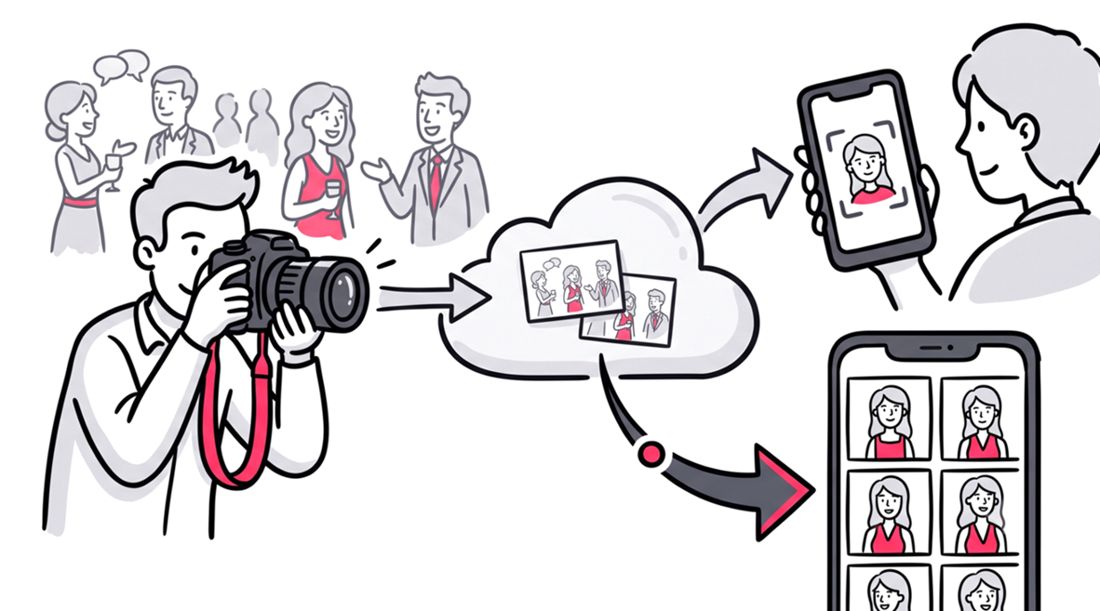
If you want to avoid the privacy risks of public links and the image compression of social media, AI photo sharing is the modern solution. SnapSeek is a dedicated web application designed specifically for seamless, one-way event photo sharing. Having powered over 500 events, it is a proven system for eliminating the friction of photo distribution.
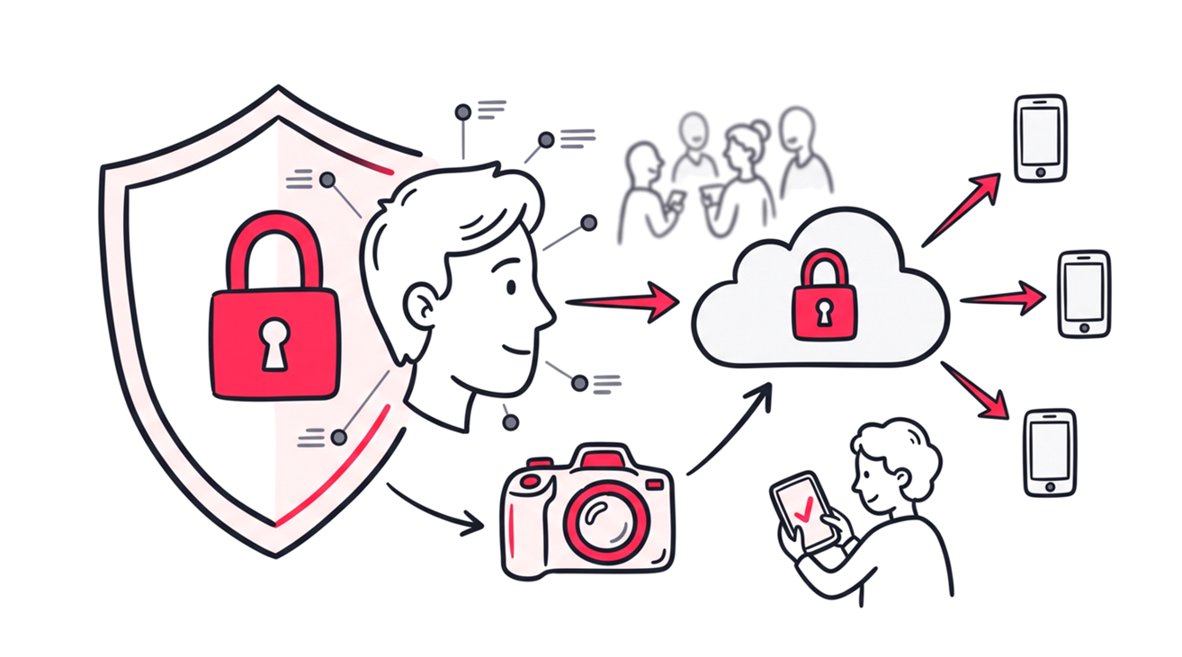
The process is incredibly straightforward for the host. You upload your existing professional wedding album directly to the secure platform. Because SnapSeek is a one-way sharing tool, only the host can upload images. This ensures the curated quality of your professional gallery remains intact without being diluted by smartphone snapshots.
Once the gallery is live, guests simply click your unique link and snap a quick selfie. SnapSeek uses biometric face grouping to instantly deliver a personalized gallery of only the photos they are in.
- Pros:
- Zero scrolling: Guests find their photos instantly in seconds.
- True Privacy: Guests only see photos of themselves, ensuring no one has access to images they are not meant to see.
- Frictionless: SnapSeek is a web application, meaning no native app downloads are required. It works seamlessly right in their phone’s browser.
- Full resolution: The platform preserves the high-end professional quality of your photographer’s work.
It is a premium tool designed for optimal privacy and speed. However, event professionals can explore options like optional paid downloads or premium white-label features for their clients. Learn more in our guide to find event photos with face search.
7. QR Codes at the Reception
Using QR codes at the reception is a great way to get guests excited about photo sharing and make it easy for them to access the photos later.
- Pros: It is efficient and easy to use for guests. You can easily place the QR code on table centerpieces, wedding programs, or at the bar.
- Cons: It can be difficult to set up if you are not tech-savvy. You still need to use another tool to actually upload and share the photos with your guests.
Why wait until weeks after the wedding to set up your sharing strategy? Integrating technology into your physical wedding decor is a highly effective way to prepare guests for the final gallery delivery.
- Pro Tip: A QR code is just a vehicle. Instead of pointing it to a messy, disorganized photo album link, point the QR code directly to your SnapSeek link. Once your professional photos are sorted and uploaded by you, guests can use that exact same saved link to find their photos via selfie-based search. Read our guide to share photos with QR code to learn more.
FAQ
What is the best photo sharing app for weddings?
SnapSeek is widely considered the best photo sharing web application for weddings. It uses selfie-based searches to instantly deliver personalized photos to guests, eliminating the need to scroll through massive cloud folders. It also operates right in the browser, requiring no app downloads.
Read more in our guide to share wedding photos privately with guests.
How can I share high-resolution wedding photos for free?
You can use free tiers of cloud storage platforms like Google Drive or Dropbox to share high-resolution images. However, you sacrifice privacy, as anyone with the link can view the entire gallery.
Can guests upload their own photos to SnapSeek?
No. SnapSeek is specifically built as a one-way sharing tool to protect the integrity of your professional gallery. Only the host can upload photos, and guests use the platform strictly to find and view their personal memories.
Do QR codes compress photo quality?
No. A QR code is simply a scannable link that directs users to a website. The photo quality depends entirely on the destination platform. Linking a QR code to a premium service like SnapSeek ensures guests view full-resolution files.
Is facial recognition safe for wedding photo sharing?
Yes, when using a privacy-first platform. SnapSeek utilizes biometric face grouping to ensure guests only receive photos they are actually in, which drastically improves individual privacy compared to public Google Drive links.
Conclusion
The best way to share your wedding photos depends entirely on what you value most. If your budget is strictly zero and you do not mind guests scrolling through massive folders, a basic cloud drive will get the job done. If you only care about sharing a few quick, compressed highlights, social media is a great fallback.
However, if you want to save hours of manual texting, protect everyone’s privacy, and give your guests a magical experience, an AI-powered gallery is the clear winner. The shift toward biometric sorting is changing how we experience memories after the event concludes.
Ready to share your memories the smart way? Try SnapSeek today and let your guests find their photos in seconds.