The best event photo-sharing platforms in 2026 increasingly prioritize instant access, AI-powered features, and frictionless photo delivery. Platforms such as SnapSeek, Fotify, and Kululu let guests access event galleries through QR codes or links without downloading a mobile app. SnapSeek stands out for AI facial recognition, allowing guests to take a selfie and quickly find photos of themselves, while Fotify and Kululu focus more heavily on real-time photo collection, shared galleries, and live event displays.
Event photography has evolved rapidly over the past few years. Event managers and photographers no longer rely on standard cloud storage to distribute thousands of images in a public folder. Today, attendees expect an intuitive digital experience where they can find themselves instantly.
If you are wondering how to share event photos effectively, you need a dedicated software. Data shows that 34 percent of guests never retrieve their photos when event managers share them via generic Google Drive or Dropbox links. Furthermore, 69 percent of guests share event photos on social media within 24 hours of the event. To capture this engagement window, you need the right tools.
This guide breaks down the top 10 event photo sharing apps available today. We will explore their features, advantages, and ideal use cases to help you optimize your digital workflow.
Core Features of Modern Platforms
Before choosing a software solution, you must understand the technology driving the industry forward. Not all event photo sharing apps serve the same purpose. Some platforms focus on crowd-sourced content, while others prioritize professional delivery.
The best tools offer web-based access to remove download barriers. A simple browser link or QR scan is all guests need to enter the gallery. This zero-friction approach drastically increases overall platform adoption rates at your venue.
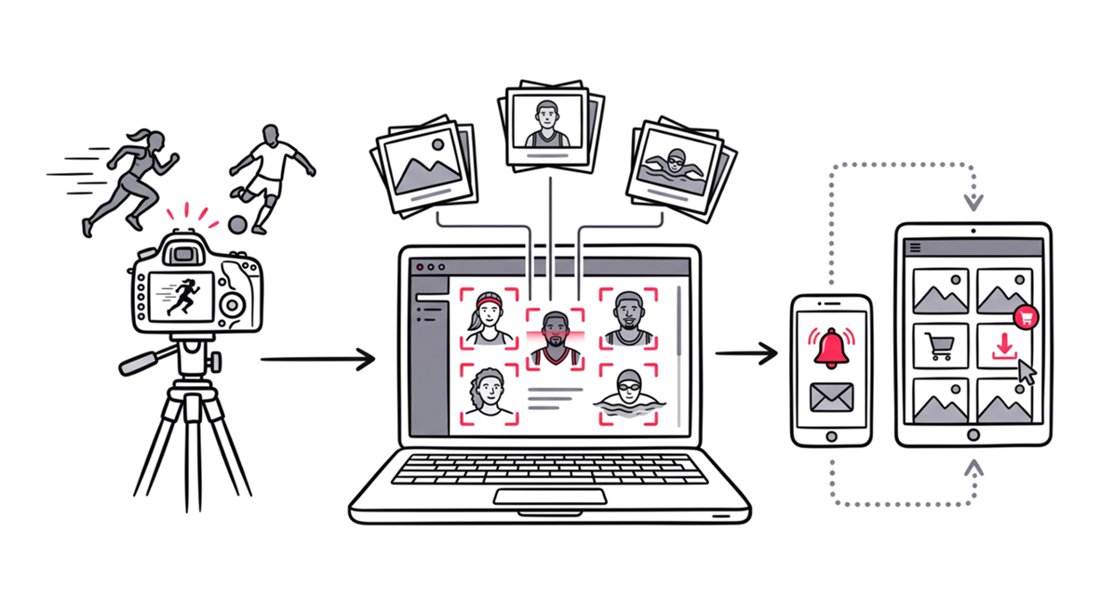
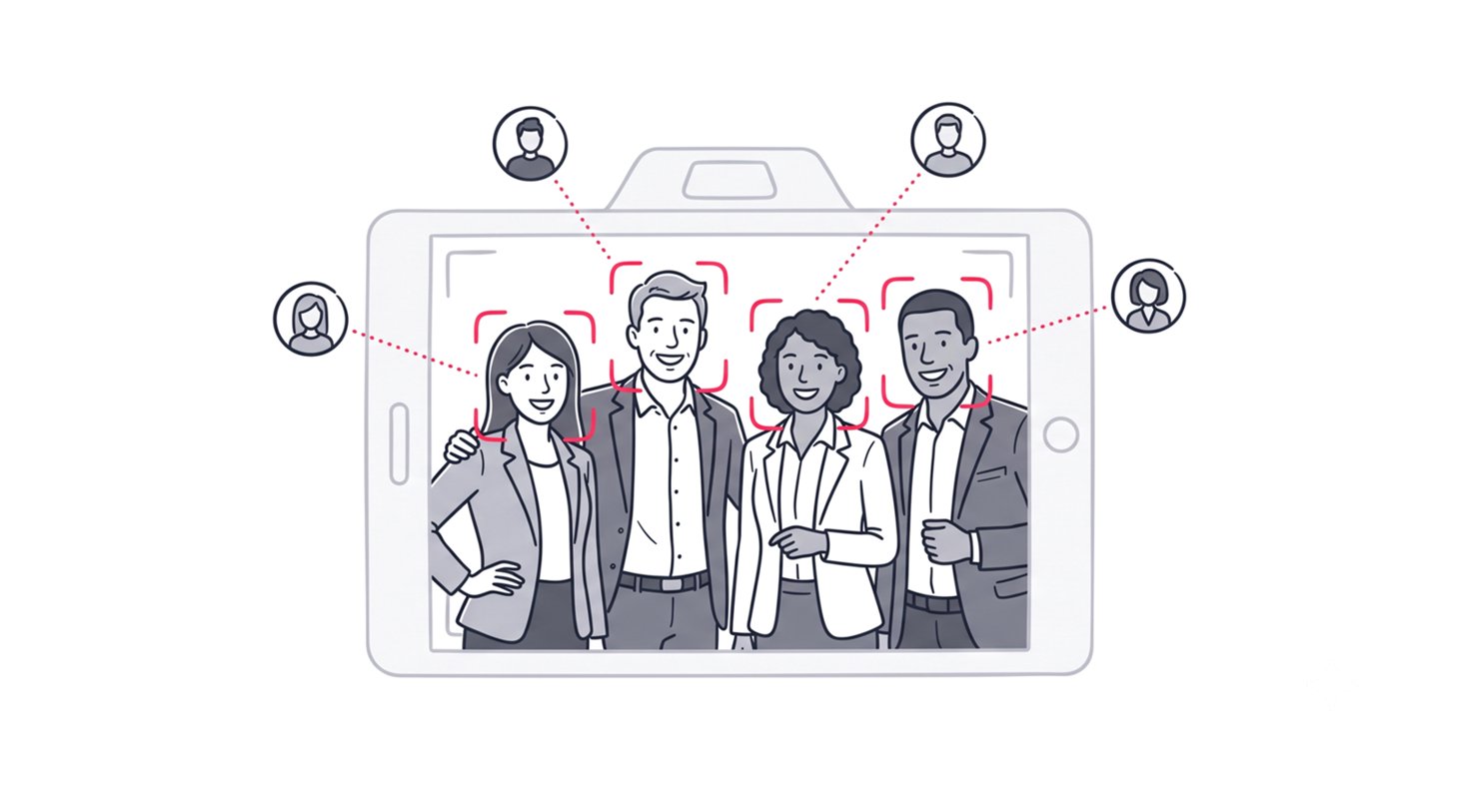
Photo sorting is another critical feature for large-scale events. Artificial intelligence can scan a gallery and group images by face automatically. Guests then provide a quick selfie to find every photo they appear in instantly.
Read more about the features of event photo sharing platforms.
1. SnapSeek
SnapSeek is a powerful web application designed specifically for professional photographers and event hosts. It focuses entirely on frictionless photo delivery requiring no app downloads and no guest signups. It uses intelligent photo sorting to allow guests to find photos they appear in instantly. Unlike traditional platforms, it operates as a strict one-way photo sharing tool where only the host uploads content.
Features:
- AI face recognition and automated face grouping.
- Multi-face search for group photos.
- Customizable lead capture forms for marketing.
- Guest face tagging where attendees provide details to tag photos.
- Custom Branding and Notifications
- Private & Secure Galleries
- Paid Download options
Advantages:
SnapSeek makes event photo sharing fast and effortless with AI face recognition that helps guests instantly find their photos. Its private galleries, custom branding, lead capture, and paid downloads also give photographers more control and revenue opportunities.
SnapSeek offers pay-per-event pricing instead of monthly subscriptions, making it an affordable option for photographers who only need the service for specific events.
Use Case:
SnapSeek is the ideal choice for professional event photographers for all types of events from weddings to corporate events and graduation parties. It allows them to deliver high-quality event photos securely and charge for downloads if they want to.
2. Fotify
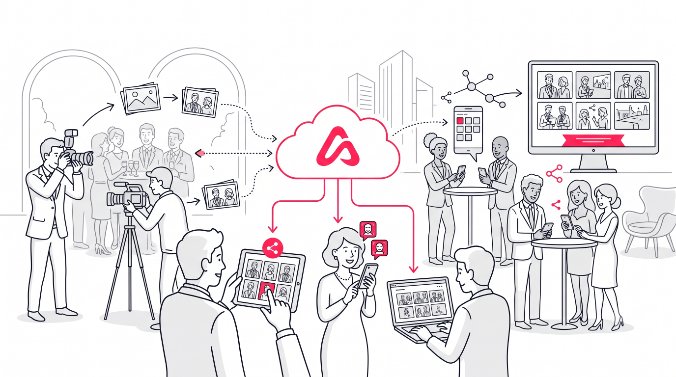
Fotify combines event photo sharing with live guest engagement. Guests can scan a QR code and upload photos directly from their browser, while approved images appear on a live display at the venue.
Features:
- Real-time live photo carousel.
- AI-powered content moderation.
- RSVP management and seating tools.
Advantages:
Fotify makes events more interactive by displaying guest photos in real time while AI moderation helps keep inappropriate content off the screen.
Use Case:
Fotify is well suited for weddings, corporate events, and other large gatherings where live photo displays encourage guest interaction.
3. Kululu
Kululu has a strong presence in the corporate event space. It offers a simple web-based experience where guests can scan a QR code or open a link to upload and share photos without downloading an app or creating an account.
Features:
- Browser-based QR code uploads.
- Role-based moderation and approval workflows.
- Attendee data export capabilities.
Advantages:
Kululu provides strong content moderation and privacy controls, giving event teams the option to manually review every guest upload before it appears in the gallery. Automatic content filtering also helps prevent inappropriate content from being published.
Use Case:
It is well suited for brand activations, corporate events, and public-facing events where content moderation and brand standards are important.
4. Dearest Events
Dearest Events offers a polished, branded photo-sharing experience for corporate events. Guests can scan a QR code and upload photos directly from their phones without downloading an app, while customizable branding and private galleries give businesses a professional, cohesive experience.
Features:
- Fully branded corporate galleries.
- Facial recognition search functionality.
- Downloadable automated slideshows.
Advantages:
Dearest Events offers a simple event-based pricing model with unlimited guest submissions, making it easy for corporate teams to collect and organize event photos without per-guest fees.
Use Case:
It is well-suited for corporate events and conferences where organizers need a simple, reliable way to collect and share branded event photos with attendees.
5. GuestPix
GuestPix offers a tidy, browser-based solution for event organizers who want simplicity. Attendees scan a code, drop in their photos, and everything lands in a centralized digital album.
Features:
- Simple media upload drop zone.
- Corporate branding overlays.
- Variable upload windows based on package tiers.
Advantages:
Event teams can secure a clean gallery without committing to an expensive annual software subscription. It is highly accessible for guests of all technical skill levels.
Use Case:
GuestPix is well suited for corporate events, conferences, parties, and other gatherings that need simple, reliable photo collection without complex setup.
6. Rompolo
Rompolo focuses on real-time event photo sharing, allowing guests to contribute photos that can be displayed during the event.
Features:
- Real-time photo sharing and display.
- Browser-based image capture.
- No sign-up walls for attendees.
Advantages:
Rompolo helps turn guest photos into part of the live event experience, encouraging interaction and giving attendees a shared visual feed.
Use Case:
Rompolo is well suited for parties, mixers, interactive events, and other gatherings where live photo displays are an important part of the experience.
7. Memzo
Memzo is an event photo-sharing platform that uses facial recognition to help guests instantly find photos of themselves. Guests open a link, take a selfie, and receive their matching photos.
Features:
- AI-powered facial recognition.
- Instant photo delivery to guests.
- Private, secure gallery access.
Advantages:
Memzo eliminates manual photo searching by automatically matching guests with their photos. Its photo sales and analytics also give photographers additional ways to manage and monetize event galleries.
Use Case:
Memzo is well suited for weddings, sports events and other gatherings where guests need quick, personalized access to their photos.
8. Waldo Photos
Waldo Photos uses facial recognition to help event attendees automatically find photos of themselves.
Features:
- AI-powered photo matching.
- Real-time photo sharing.
- Automated photo delivery and live slideshows.
Advantages:
Waldo makes it easy for guests to find and receive their photos while also giving organizers tools for collecting, moderating, and sharing event content.
Use Case:
Waldo is well suited for weddings, concerts, festivals, and other large-scale events.
9. Dropbox
Dropbox is a popular cloud storage service that also offers event photo sharing capabilities. It allows users to create shared folders where multiple people can upload, view, and download photos.
Features:
- Photo storage and organization.
- Real-time sync.
- Share photos with a link.
Advantages:
Dropbox provides fast, reliable photo delivery through shareable folders and links, making it easy for photographers to send large collections to clients shortly after an event.
Use Case:
Dropbox is well suited for photographers who need a simple way to deliver large volumes of high-resolution photos to clients and teams without smart photo sorting or facial recognition.
Read more about how you can use SnapSeek and Dropbox together to deliver the best experience to your clients.
10. Google Photos
Google Photos remains the default fallback for many casual event hosts. It utilizes standard cloud storage mechanics to pool images together in one place.
Features:
- Shared collaborative folders.
- Automatic cloud backup.
- Familiar user interface.
Advantages:
Most attendees already have a Google account installed on their devices. This existing familiarity removes the learning curve for older or less tech-savvy guests.
Use Case:
Google Photos works fine for very small, intimate family gatherings where professional presentation is not a priority.
Read our detailed comparison of Google Photos and SnapSeek.
FAQ
What are event photo sharing apps?
Event photo sharing apps are specialized software platforms used to distribute or collect pictures at gatherings. They replace traditional cloud storage by offering features like QR code access and real-time syncing.
How do I share event photos with guests?
The best way to share event photos is by using a dedicated web app with a QR code or a direct link. This eliminates the need for guests to download new mobile applications or create new accounts.
What is the best app for photo sorting?
SnapSeek is highly recommended for photo sorting because it uses AI face recognition to organize massive galleries. Guests simply provide their details to tag themselves, finding their specific event photos instantly.
Why should I avoid generic cloud drives for events?
Generic drives lack automated organization and force users to scroll through hundreds of images manually. Data shows that 34 percent of guests abandon their search entirely when forced to use these manual gallery links.
Can guests upload photos to SnapSeek?
No. SnapSeek operates strictly as a one-way photo sharing tool designed for hosts and photographers to deliver high-quality images. It does not support guest uploads, ensuring the final gallery remains professional and curated.
Conclusion
Relying on generic cloud drives actively harms your event engagement. Modern attendees demand speed, privacy, and frictionless access. Whether you need photo sorting capabilities or live screen feeds, upgrading your technology stack is essential.
If you are a professional photographer or host looking for the best one-way delivery system, we have you covered. Try SnapSeek to automate your workflow and give your guests a premium digital experience today.