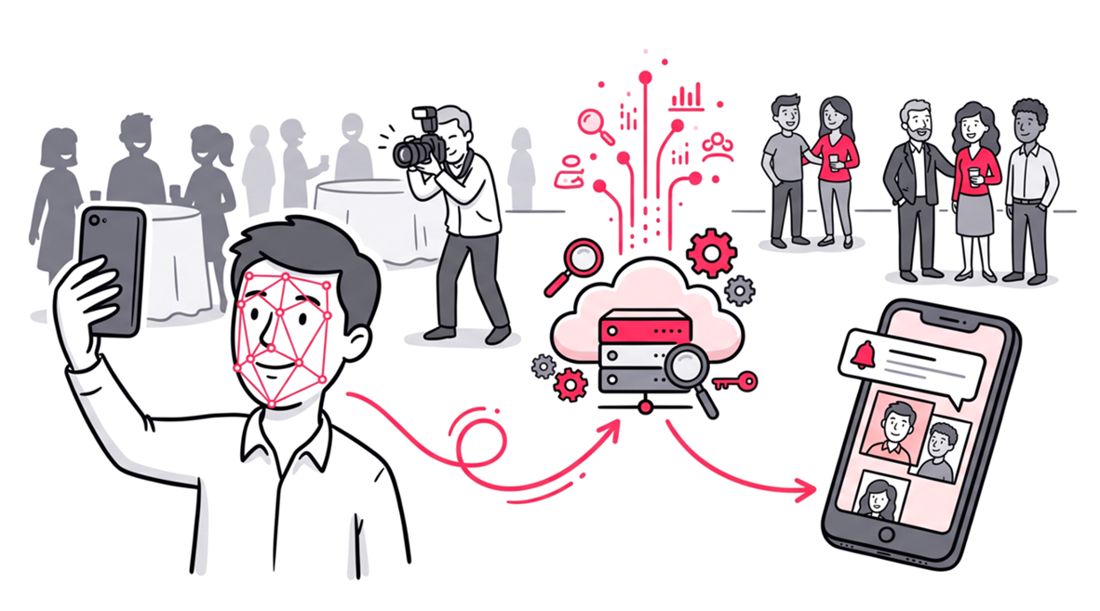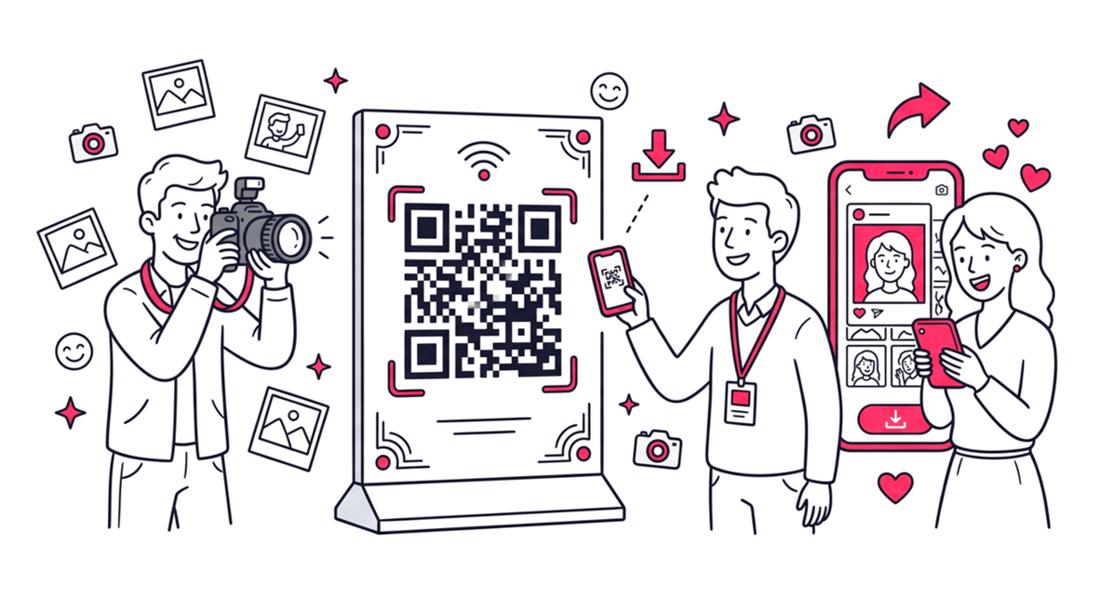
To set up a QR code event photo gallery for a trade show or gala, the event host or photographer first uploads the high-resolution event images to a secure browser-based web application. The platform then generates a unique QR code and web link for the specific event. Organizers display this QR code on digital screens, printed lanyards, or table tents throughout the venue. Attendees simply scan the code with their smartphone cameras to open the gallery link. From there, guests can find their photos with just a selfie using integrated facial recognition technology.
Corporate events require seamless technology integrations to keep attendees engaged. Traditional photo delivery methods are outdated and frustrating for guests. Finding a specific picture in a massive online folder takes too much time.
Modern event organizers need smarter tools to distribute event content. Setting up a QR code event photo gallery solves the core distribution problem. It allows hosts to provide instant access without forcing users to download bloated mobile apps.
Trade shows and corporate galas move at a rapid pace. Attendees want to network, attend keynotes, and share their experiences on social media. Providing a frictionless way to share photos at trade shows amplifies brand reach instantly.
This guide covers the exact workflow for deploying a modern photo distribution system. You will learn how to bypass manual email delivery and automate the entire sharing process. Your attendees will leave the event with high-quality branded memories in their hands.
Why QR Code Photo Galleries Win at Corporate Events
Event technology has evolved dramatically over the last five years. Recent industry data indicates that QR code usage at live events has grown exponentially. Attendees now expect immediate digital interactions at every touchpoint of a conference.
When you host a corporate gala, the photography is a major investment. However, those expensive photos hold zero marketing value if attendees never see them. The standard practice of emailing a link weeks later results in terrible engagement metrics.
By implementing a QR code event photo gallery, you capitalize on the excitement of the live event. Guests are highly motivated to view and post their professional photos while still at the venue. This immediate access drives organic social media impressions for the organizing brand.
Furthermore, relying on a purely browser-based web application removes friction. Attendees hesitate to download standalone event apps just to retrieve a single photo. A seamless web link accessed via a native camera scan guarantees higher adoption rates.
Step-by-Step Guide: Setting Up Your Gallery
Creating a corporate gala photo sharing system does not require advanced technical skills. The process relies on selecting the right one-way photo sharing tool. Follow these specific steps to configure your digital distribution strategy.
Step 1: The Photographer Uploads the Assets
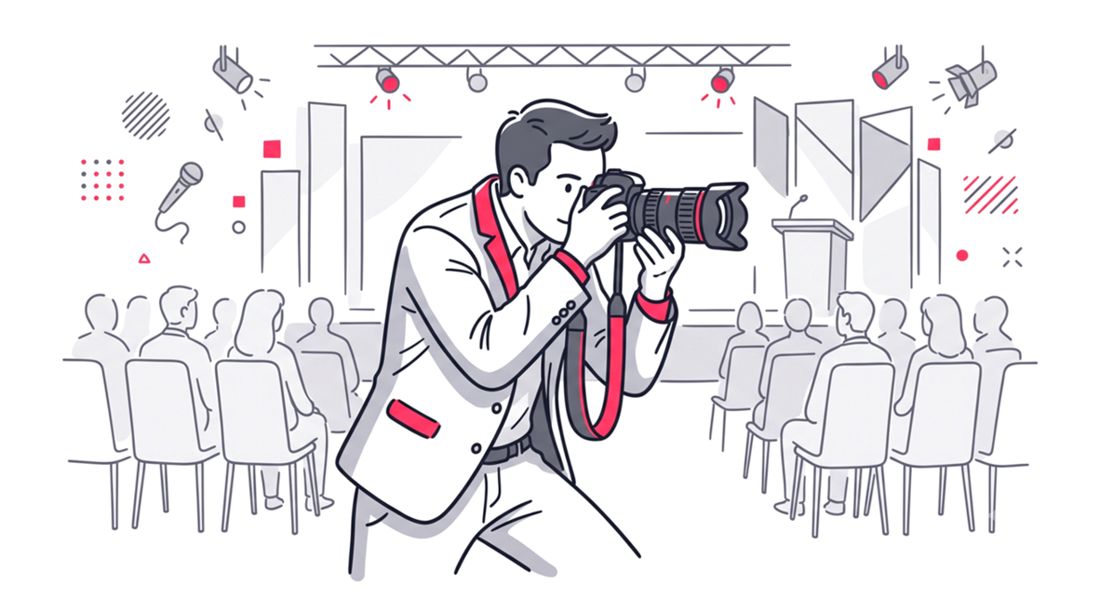
The workflow begins entirely on the administrative side. The official event photographer or the internal marketing host takes charge of the content. They select the best shots and upload them to the centralized web platform.
It is crucial to emphasize that this is a one-way photo sharing tool. Guests do not upload their own smartphone pictures to the main feed. The gallery remains a curated, high-quality collection of professional photography.
Using a dedicated event photography workflow management platform ensures fast upload speeds. The system should automatically compress preview images while retaining high-resolution download files. This optimization keeps the gallery loading instantly on mobile networks.
Step 2: Generate the Unique QR Code and Web Link
Once the initial batch of photos is live, the software takes over. The platform automatically generates a unique URL dedicated solely to your specific event. Alongside this link, a high-resolution QR code is dynamically created for immediate use.
Because the system operates as a browser-based web application, the link is universal. It works flawlessly across all mobile operating systems and default browser applications. Your attendees will never face compatibility errors or app store redirects.
Step 3: Displaying the QR Code at the Venue
Strategic placement of your QR code directly impacts gallery engagement. You need to position the access points where foot traffic naturally pauses. Registration desks and networking lounges are prime locations for initial exposure.
Trade show booths benefit from displaying the code on digital signage. As attendees walk by, the illuminated screen captures their attention and prompts a scan. Incorporating the code directly into the official event lanyards guarantees that every guest carries the link.
For formal corporate galas, elegant table tents offer a sophisticated touch. Placing a small, branded card at each dining setting encourages guests to view photos during the meal. You can also project the QR code onto main stage screens during intermissions.
Step 4: Attendees Find Photos with a Selfie
This step is where modern technology completely transforms the user experience. After scanning the code, the attendee lands on the secure web gallery. Instead of scrolling through hundreds of thumbnails, they are prompted to take a quick selfie.
The platform utilizes advanced facial recognition algorithms to scan the event database. Within seconds, it filters out every image that does not contain the attendee. The guest is instantly presented with a personalized album of their exact appearances.
This feature is the cornerstone of how to share corporate event photos effectively. Guests find their photos with just a selfie, eliminating the tedious search process. They select their favorite shots, download them, and immediately share them with their networks.
Best Placements for QR Codes at Trade Shows and Galas
Maximizing your scan rate requires a thoughtful physical layout strategy. You must consider the lighting conditions and crowd flow of your specific venue. Darker environments like evening galas require backlit or highly contrasted prints.
The registration area is the ideal first touchpoint for your digital gallery. While attendees wait for their badges, a standalone banner can introduce the photo sharing concept. This early exposure sets the expectation that professional photos will be readily available.
Interactive photo zones or formal step-and-repeat backdrops are another excellent placement. The photographer captures the moment, and an adjacent sign directs the subject to scan. This immediate physical-to-digital transition reinforces the value of the provided service.
Traditional Photo Sharing vs. Selfie-Based QR Galleries
Understanding the distinct advantages of modern systems requires a direct comparison. Legacy methods often create administrative headaches for event planners. Modern web applications prioritize speed, security, and user convenience.
The table below outlines the core differences between outdated workflows and modern AI-driven platforms. Review these metrics when planning your next corporate gala photo sharing strategy.
| Feature | Traditional File Sharing Folders | Selfie-Based QR Galleries |
|---|---|---|
| Access Method | Emailed link days after the event | Instant scan at the live venue |
| Search Process | Manual scrolling through hundreds of files | Find with just a selfie instantly |
| Upload Control | Often collaborative and messy | Strict one-way host upload |
| Platform Type | Requires native app downloads or account creation | Frictionless browser-based web application |
| Engagement Timing | Low interaction post-event | High interaction during the event |
As the comparison highlights, relying on standard cloud folders limits your marketing potential. Adopting an instant, one-way distribution system guarantees a professional presentation. The technology handles the sorting while the host controls the quality.
Maximizing Engagement with Browser-Based Solutions
The success of your event gallery depends on reducing friction for the end user. Any requirement to create an account or download software will result in immediate drop-off. A true browser-based web application respects the attendee’s time and digital privacy.
When you share photos at trade shows, speed is the ultimate metric. A guest should be able to scan, snap a selfie, and download an image in under sixty seconds. This rapid workflow encourages spontaneous sharing on platforms like LinkedIn and X.
Security is also a critical component of corporate photo distribution. Because the platform does not capture moments directly, it functions purely as an online gallery. Organizers maintain complete administrative control over the digital assets at all times.
To further enhance the experience, event hosts should ensure the gallery is fully branded. Custom logos and brand colors reinforce the corporate identity with every view. The digital gallery becomes an extension of the physical event environment.
Advanced Strategies for Event Photographers
Professional event photographers benefit immensely from streamlined delivery tools. Managing client expectations regarding turnaround times is a constant challenge in the industry. Implementing a live QR code gallery drastically reduces post-event delivery pressure.
Photographers can upload smaller, curated batches of photos directly from the venue. This allows the client to showcase immediate highlights to their attendees. It proves the value of the photography service in real time.
Using a specialized online photo sharing tool also protects the photographer’s work. By controlling the one-way upload stream, the photographer guarantees only edited, high-quality images are viewed. This controlled environment elevates their professional portfolio and brand reputation.
FAQ
Do attendees need to download an app to use the QR code event photo gallery?
No. The system is a completely browser-based web application. Attendees simply scan the QR code with their default smartphone camera to access the gallery instantly.
Can guests upload their own photos to the corporate gala photo sharing platform?
No. This platform is strictly a one-way photo sharing tool. Only the event host or official photographer can upload images to maintain high quality control.
How does the facial recognition feature work for finding photos?
Attendees take a quick selfie through the secure web link. The system uses that reference image to instantly filter the gallery and display only the photos where they appear.
Is it safe to share photos at trade shows using this method?
Yes. The platform functions purely as an online sharing tool and does not capture moments directly. Hosts retain full administrative control over what is published and available for download.
When is the best time to upload photos to the gallery?
For maximum engagement, hosts should upload curated batches during the event. This allows attendees to find, download, and share their professional photos while still at the venue.
Conclusion
Distributing event photography no longer requires manual sorting or delayed email chains. By leveraging modern technology, organizers can provide an exceptional digital experience for every guest. A well-executed QR code event photo gallery elevates the entire brand presence of your corporate gathering.
The focus should always remain on speed, security, and user convenience. Implementing a browser-based system ensures universal accessibility across all mobile devices. When guests can find their photos with just a selfie, your post-event engagement metrics will soar.
If you are ready to upgrade your event distribution workflow, explore SnapSeek. SnapSeek is an online photo sharing tool built specifically for effortless delivery. Allow your attendees to bypass the scrolling and instantly connect with their best moments.