Imagine this scenario: You are at a fantastic corporate gala or a beautiful wedding. You look great, the lighting is perfect, and the professional photographer just snapped an incredible candid of you laughing with friends. You want that photo now to post on your Instagram Story while the event is still trending.
But then comes the friction.
To get your photo, you are told to “Scan this QR code, download this specific app, create an account, verify your email address, and then scroll through a gallery of 5,000 images to try and find yourself.”
By the time you jump through those hoops, the moment has passed. The excitement is gone. You put your phone away, and that photo is lost in the digital abyss.
For event photographers and organizers, the “email wall” has long been considered a necessary evil. You want leads, and you want to deliver photos. But requiring an email address just to view a gallery acts as a massive barrier to entry. In fact, user experience studies suggest that over 90% of users get frustrated when a business forces them to download an app, and similar levels of friction apply to mandatory long-form data collection.
If you want to delight your guests and skyrocket your photo engagement, it’s time to remove the barriers. Here is a comprehensive guide on how you can share event photos instantly without collecting a single email address, while still keeping the option open if you need it.
Why The “No-Email” Approach is Winning
The digital landscape has shifted dramatically in the last few years. Privacy is paramount, “app fatigue” is real, and user patience is at an all-time low. Guests today expect the same seamless experience they get from AirDrop or native social media sharing. They want their content immediately, and they don’t want to “pay” for it with their personal data.
When you remove the requirement for an email address, three powerful shifts occur in your event strategy:
Instant Gratification Drives Vitality
In the world of social media, timing is everything. A photo shared during the event is worth ten times more than a photo shared three days later. When guests can access their photos with a single scan and no login, they are far more likely to share them immediately. This creates a ripple effect of “FOMO” (Fear Of Missing Out) for those not in attendance and acts as powerful real-time social proof for the event organizer.
Higher Engagement Rates
The “conversion funnel” of a photo gallery is simple: How many people view the gallery vs. how many people download a photo. Every step you add to that process (enter email -> wait for link -> click link) causes a drop-off. By removing the login wall, you remove the drop-off points. We have seen engagement rates double or even triple simply by enabling hosts to share event photos without guest logins or forced account setups.
Increased Trust and Privacy
People are increasingly wary of where their email address ends up. Will I be spammed? Will my data be sold? By offering a “no strings attached” viewing experience, you build immediate goodwill. You aren’t treating their personal memories as a transaction for their marketing data. This is particularly crucial for corporate events where GDPR and data minimization are strict requirements.
3 Modern Ways to Share Photos Without Emails
Technology has evolved beyond the old “pass around an iPad” method. Here are the three most effective ways to deliver photos frictionlessly. SnapSeek in the platform that offers all these options.
1. The Direct QR Code (The Gateway)
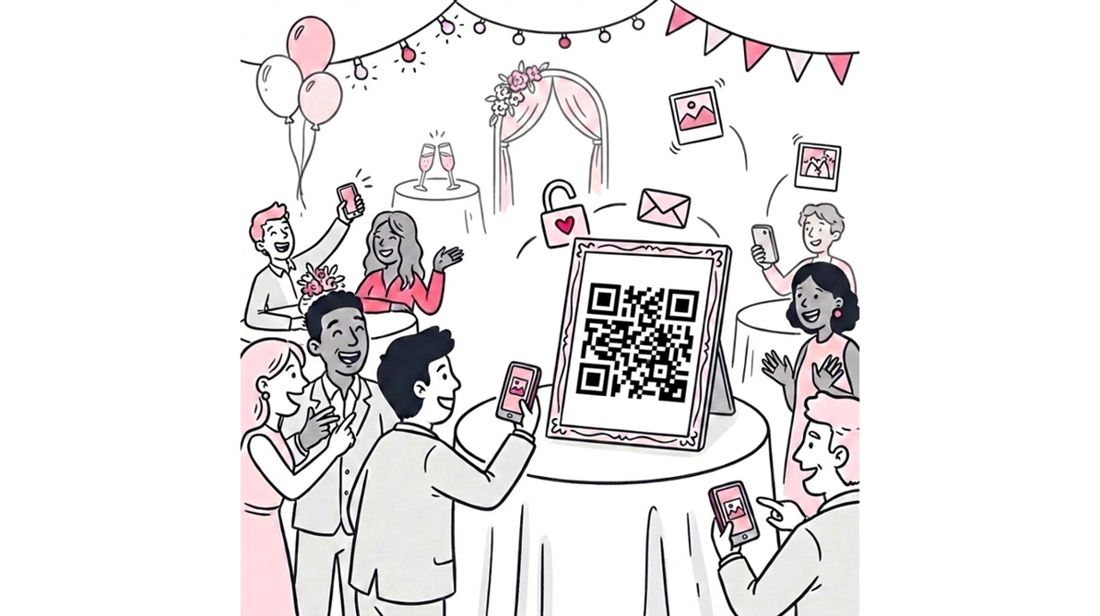
The simplest, most low-tech method is the humble QR code. By placing QR codes on tables, banners, or badges, you can link guests directly to a public web gallery.
- How it works: You upload photos to a gallery (like Dropbox or a basic web host), generate a QR code for that URL, and print it.
- The Problem: While accessing the link is easy, finding the photo is not. If you have a gallery of 3,000 images, a guest has to scroll, squint, and search. This often leads to “gallery fatigue” where guests give up before finding their shots.
- The Fix: SnapSeek’s selfie search solves this problem by allowing guests to find their photos instantly.
Learn more about optimizing this workflow in our detailed guide on Event Photo Sharing Using QR Codes.
2. SnapSeek’s Facial Recognition (The “Magic” Way)
This is where AI technology solves the conflict between privacy and convenience. With a dedicated platform like SnapSeek, you can offer a “Selfie Search” experience that feels like magic to the user.
Here is the seamless workflow:
- Scan: The guest scans a QR code on a poster or screen.
- Snap: They take a quick selfie right in their browser (no app download needed).
- Find: SnapSeek’s advanced AI instantly filters the entire gallery and shows only the photos that match their face.
- The best part? No email is required.
Unlike other platforms that treat facial recognition as a premium add-on to detailed data scraping, SnapSeek is designed for flexibility. By default, guests can access their high-resolution photos anonymously using just their face as the “password.”
- Wait, can I still collect emails? Yes. We understand that marketing is important. SnapSeek has an optional email collection feature. You can set it so guests can access photos instantly by providing an email. This “optional” approach works the best as they have an option to decline if they don’t want to share their email.
- Handling Large Events: For marathons, festivals, or large conferences, this is the only viable no-email solution. Searching 10,000 photos manually is impossible; searching by face takes milliseconds.
3. Real-Time Beaming (Slideshows)
For pure entertainment value, “beaming” photos to large screens at the venue keeps energy high and requires zero input from the guest.
- How it works: As the photographer shoots, images need to be uploaded to an online platform like SnapSeek and you can choose the ‘Slideshow’ feature to beam the photos to a large screen at the venue.
- Pros: It creates a communal experience. People love seeing themselves on the big screen, and it encourages them to pose more, creating a positive feedback loop.
- Cons: It’s a “look but don’t touch” medium. Guests can’t save the photos to their phones from a screen 50 feet away.
- Best For: Galas, weddings, awards nights, and concerts.
Privacy Deep Dive: Why Face Access is Creating Safer Galleries
It sounds counterintuitive to some: “How can using my face be more private than a password?”
Let’s look at the reality of “Password Protected” galleries. When you set a password for a gallery and email the link to 200 guests, that link inevitably gets shared. It goes into a WhatsApp group, it gets forwarded to a partner, it gets posted on a company Slack. Suddenly, a stranger has access to everyone’s photos—including photos of children or private moments they shouldn’t see.
With SnapSeek’s face-based access in “No-Email” mode:
- Individual Privacy: A guest only sees their own photos. The rest of the gallery remains locked. If I scan the code, I see me. If you scan the code, you see you.
- Zero Data Leakage: Since you aren’t collecting a database of emails, there is no list to be hacked, leaked, or mishandled.
- Data Minimization: The selfie data is stored as a secure mathematical embedding (a string of numbers) to facilitate the search. This hashed representation acts as a private key to identify your photos without being used for surveillance, ensuring your privacy is protected through purpose-built, secure data handling.
For a detailed breakdown of this security model and how it protects guests, read our article on Why Face-Based Access is Safer Than Traditional Photo Sharing.
Comparison: Email Gating vs. Frictionless Sharing
Let’s break down the hidden costs of requiring emails versus the benefits of the open approach.
| Feature | Traditional Email Gallery | SnapSeek (No-Email Mode) |
|---|---|---|
| Guest Access Speed | Slow (Type email, verify, scroll) | Instant (Selfie & Find) |
| App Download | Often Required | None (Web-based) |
| Privacy | Low (Public links shared easily) | High (Personalized view) |
| Guest Friction | High (Fatigue & Annoyance) | Zero (Seamless) |
| Spam / Bounce Rate | High | N/A |
The Photographer’s Perspective: Why You Should Care
Beyond the guest experience, going “No-Email” actually makes your life as a photographer significantly easier.
- Fewer Support Tickets: You won’t get emails on Monday morning asking, “I never got the link” or “It went to my spam folder.” The access is universal and immediate.
- Higher Client Satisfaction: Your corporate clients want their attendees to be happy. Delivery friction is often the #1 complaint clients receive about event photography. Eliminating it makes you look like a hero. Following a dedicated framework to share event photos with no email collection ensures both organizers and attendees enjoy a frictionless handover.
- More Viral Reach: When guests share photos instantly, they tag the event and (if you watermark) your brand. This counts as organic marketing that you can’t buy.
How to Set Up a “No-Email” Workflow on SnapSeek
Ready to try it? Here is the exact, step-by-step workflow to impress your next client with a frictionless delivery system:
Step 1: Create and Upload
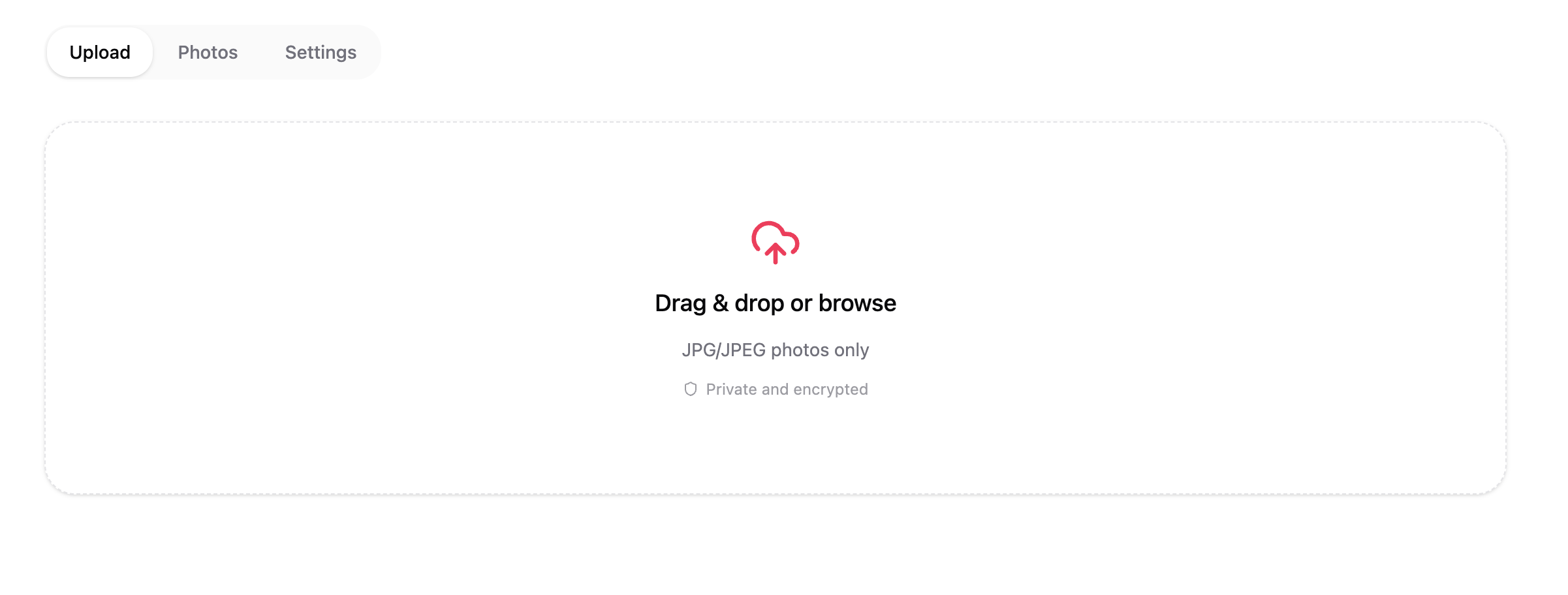
Create your event in the SnapSeek dashboard. You can upload photos in batches after the event, or use our tethering tools to sync photos in real-time as you shoot.
Step 2: Configure Access Settings
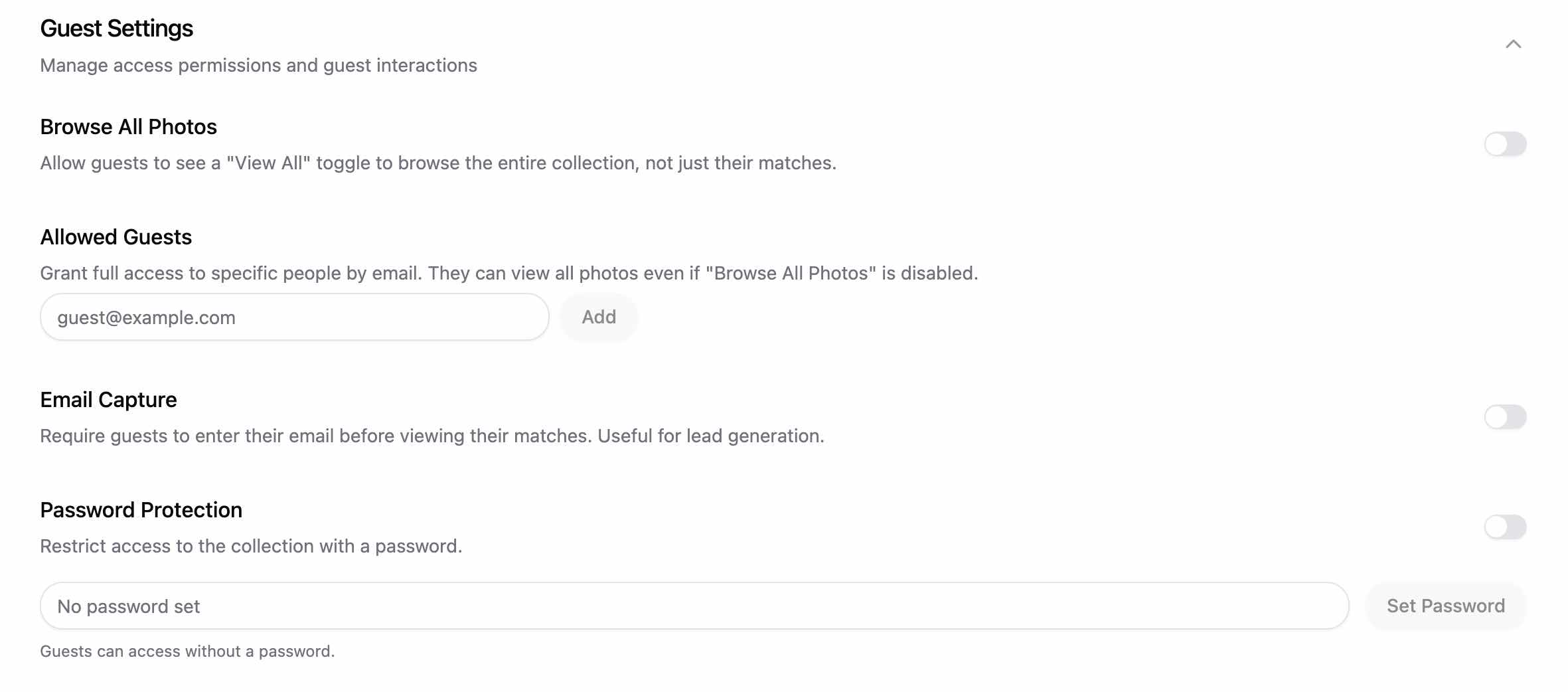
Navigate to the “Guest Settings” under the “Settings” tab in your event collection dashboard.
- “Capture Email” is toggled OFF.
- Disable “Browse All Photos” for added privacy.
Step 3: Deployment (The QR Code)
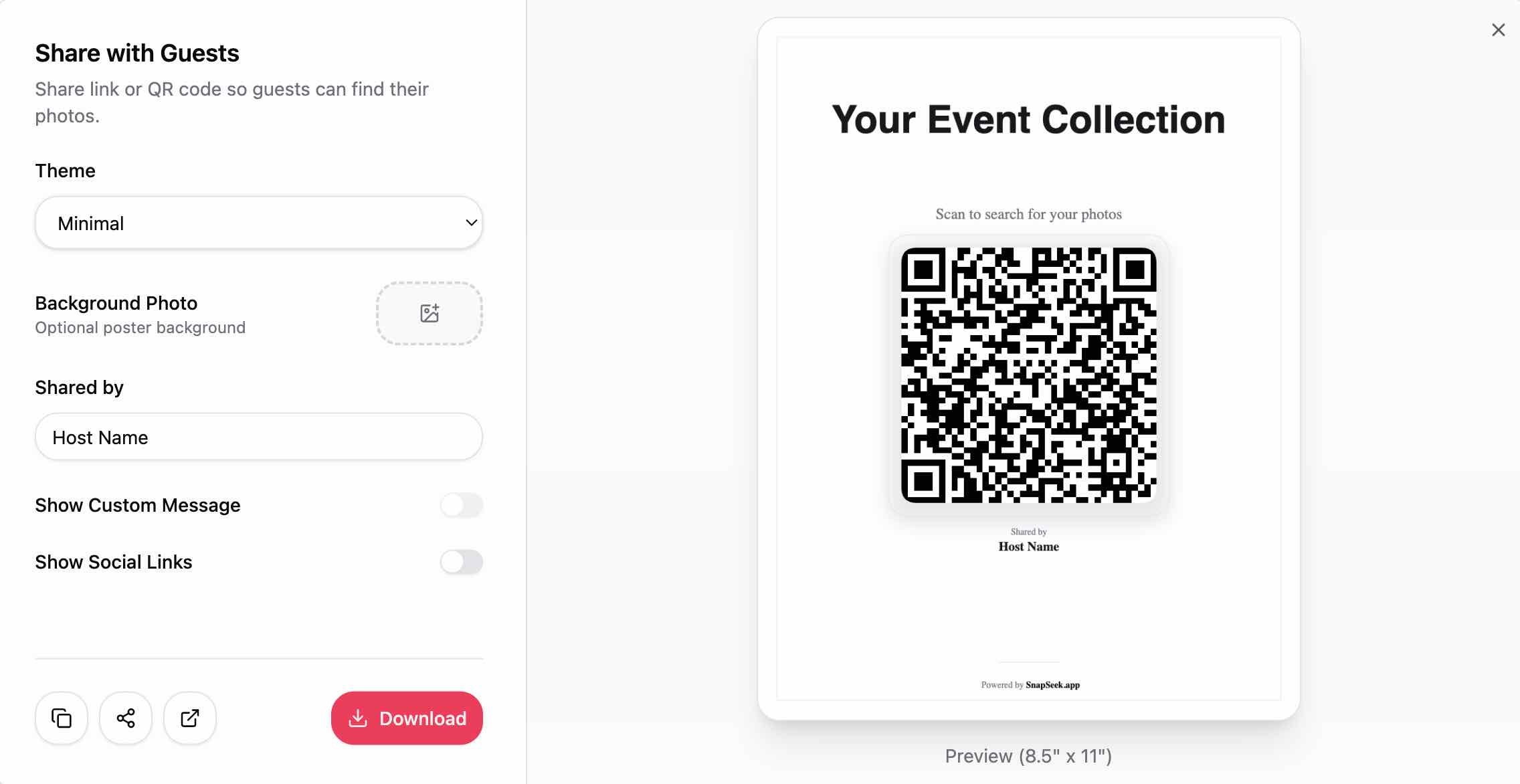
SnapSeek generates a unique QR code for your event. Do not just print this on a piece of paper and tape it to a wall.
- Digital: Put it on the projector screens during breaks.
- Print: Add it to the back of name badges, on table tents, or on small business cards you hand out as you shoot.
- Instruction: Add a simple call to action: “Scan to find your photos instantly, no download needed.”
Step 4: Let Guests Search
Guests scan, snap a selfie, and see their photos. They can download the high-res images immediately to their camera roll.
It is that simple. No spreadsheets to manage, no spam complaints to field, just happy guests sharing your work and praising the event.
FAQ
Can I still collect emails if I want to?
Absolutely. SnapSeek gives you the control. You can enable email collection as a mandatory step for downloading photos if your primary goal is lead generation.
However, the default “view” experience remains frictionless, allowing guests to see what they are getting before they commit. Also, guests can decline to provide their email address and still be able to view and download their photos.
Do guests need to download an app?
No. This is a core philosophy of ours. We believe that downloading an app for a 4-hour event is too much to ask. SnapSeek runs entirely in the mobile browser (Safari, Chrome, etc.). Read more about why we believe in No App Download Photo Sharing.
Is facial recognition legal for events?
Yes, but transparency is key. We recommend informing guests (via signage or announcement) that AI is being used to help them find their photos. In our experience, highly private individuals appreciate the technology because it prevents others from scrolling through their photos in a public gallery.
How accurate is the search?
SnapSeek uses enterprise-grade AI that is highly accurate, even in difficult lighting. It can group photos of the same person across the entire event in seconds. Check out our list of Best Facial Recognition Apps to see how we stack up against the competition.
Does this work for large corporate events?
Yes, this is where the “No-Email” + “Face Search” feature shines brightest. For an event with 2,000 attendees, a public scrollable gallery is unusable. Facial recognition is the only way to provide a personalized experience at that scale without requiring a login for every single person.
Conclusion
The future of event photo sharing is about removing friction. When you make it easy for guests to get their photos, you unlock higher engagement, better organic reach, and a superior brand experience. By shifting to a “No-Email” model with SnapSeek, you aren’t just saving guests time but you’re proving that you value their experience and privacy.
Ready to see how fast photo sharing can be? Try SnapSeek for your next event.