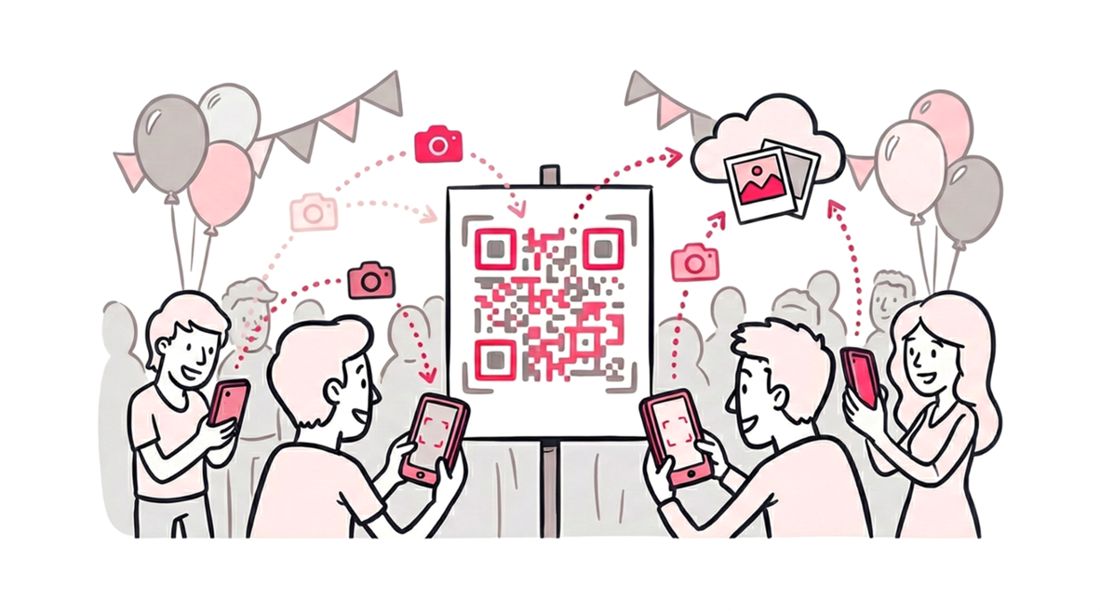
For event professionals, the post-production workflow does not end when the images are edited. Distributing massive digital galleries to hundreds of attendees remains a significant logistical hurdle. Relying on post-event emails, SMS links, or printed business cards creates unnecessary delivery latency and guarantees a sharp drop in guest engagement.
The modern solution to post-event media distribution is the integration of QR code photo galleries. By replacing complex URLs with scannable QR codes placed directly on venue tables, name badges, or digital displays, organizers shift from a delayed delivery model to an instant access model.
Platform analytics reinforce this operational shift. The data proves that removing digital access barriers is the definitive key to maximizing gallery visibility.
Here is exactly how QR code distribution eliminates friction for high-volume events:
- Instant Web Access: Guests scan the code using their standard smartphone camera to launch the gallery directly in a mobile browser, completely bypassing the friction of app store downloads.
- On-Site Engagement: Attendees retrieve their media while the event is still happening. This drives immediate organic social sharing rather than forcing guests to wait 48 hours for a distributed link.
- Biometric Retrieval: Once the QR code is scanned, guests capture a quick reference selfie to trigger AI facial recognition. This instantly filters the entire event gallery down to only the professional photos they appear in.
The Psychology of the Scan: Why Visual Aesthetics Drive QR Code Engagement
Event organizers often assume attendees will scan any generic QR code to access event media. However, user behavior analytics indicate that physical-to-digital bridging requires intentional design to maximize conversions.
A pixelated, unbranded QR code generates immediate digital friction. It appears unprofessional and can even trigger security or spam concerns in corporate and luxury wedding environments. Conversely, customizing the QR display with specific brand assets signals deep trust. For example, integrating a signature visual theme utilizing brand colors creates a premium, intentional touchpoint. This visual consistency confirms to the guest that the biometric photo retrieval system is a secure, curated extension of the event itself.
When you design your QR code station to match a sponsor’s identity or a specific party theme, you achieve two distinct operational goals:
- Eliminating Scan Hesitation: Branded assets subliminally remove digital friction, assuring guests they are safely accessing a professional, curated photo gallery rather than an unverified link.
- Accelerating Biometric Access: Clear visual cues guide attendees directly to the facial recognition tool, allowing them to instantly retrieve their specific moments.
Introducing SnapSeek Themes and Custom Uploads
We have completely overhauled the “Share with Guests” experience in your dashboard. Gone are the days of the single, static generated PDF.
Now, when you go to setup your photo sharing process, you have a design studio at your fingertips.
The Pre-Set Themes
For the busy organizer who needs a beautiful design instantly, we have curated a library of professionally designed themes that cover the most common event archetypes. You can check and select the desired theme in the QR code settings on the Manage collections page.
The Power of Custom Uploads
This is the feature we are most excited about. You can now select “Background Photo” and upload any image as the background for your QR code card.
This opens up infinite possibilities for photo sharing with custom QR code designs.
Imagine a wedding where the background features the couple’s favorite engagement photo, with the code overlaying it subtly.
Imagine a product launch where the background is the hero shot of the new device.
Imagine a charity gala where the background is a powerful image of the cause being supported.
By uploading your own asset, you turn the signage into a piece of art. The QR code becomes a frame for the memory, rather than just a barcode.
Use Case Strategies: Maximizing the Feature
How should you use this new power? Here are strategic ways to leverage custom backgrounds for different types of events to improve your event photo sharing via QR code workflow.
For Weddings: The Personal Touch
Weddings are the most highly scrutinized events when it comes to design cohesion. A standard QR code card looks like an invoice on a dinner table.
The Strategy: Use a photo from the couple’s engagement shoot. Choose a shot where there is “negative space” (like a wide sky or a plain wall) so the QR code and text remain readable. This makes the card feel like a keepsake. Guests are more likely to pick it up, admire the photo, and then naturally scan the code.
See also: Wedding Photo Sharing Etiquette
For Corporate Events: Brand Dominance
At a trade show or conference, every inch of visual real estate is a branding opportunity. If you are using SnapSeek to deliver headshots, you want your brand to be top-of-mind.
The Strategy: Use a branded gradient or the event’s “Key Art.” Do not just use a plain white background. Upload a background that uses the company’s hex codes. If there are sponsors, you can even create a composite image that includes the sponsor’s logo in the corner of the background using the Watermark feature on SnapSeek. This turns your photo sharing station into a sponsorship asset.
See also: Why SnapSeek Is the Simple, Reliable Way to Share Photos at Corporate Events
For Sports & Schools: Team Spirit
Parents and athletes love seeing their team colors. A generic code feels sterile. A code on a background of the school mascot or the team jersey feels like home.
The Strategy: Use the team’s home field or court. Take a high-res photo of the empty stadium or the gymnasium floor. Use that as the background. It sets the context immediately. When a parent walks past the table, they instantly recognize the context and are drawn to scan to see the photos of the event.
See also: How SnapSeek Transforms Sports Photography
Best Practices for Designing Your Background
With great power comes great responsibility. Just because you can upload any photo doesn’t mean you should upload a busy, chaotic image.
Remember, the goal is still to get a successful scan and facilitate the process of efficient photo sharing. Here are some design rules to ensure your custom background works perfectly.
Watch the Contrast
The QR code itself is usually black and white (or dark on light). If you upload a background that is dark and textured (like a photo of a forest at night), the code might blend in.
Tip: If your photo is dark, use an image editing tool to lighten the specific area where the code will sit, or choose a photo with a bright sky area.
Mind the “Safe Zone”
The SnapSeek generator places text and instructions over the image. If you upload a photo of a person’s face, make sure their face isn’t right in the center where the text will cover it.
Tip: Use “Off-center” compositions. Subject on the left, empty space on the right for the code details.
Resolution Matters
These cards might be printed on large foam boards or projected on 4K screens. Do not upload a tiny, pixelated thumbnail.
Tip: Use images that are at least 1920x1080 pixels. High-resolution branding reflects a high-quality event.
Where to Display Your Custom QR Code Cards
Once you have designed the perfect custom background, where should you put it? The placement is just as important as the design.
The “High-Traffic” Theory
You want to catch guests when they have “downtime” to encourage them to scan the QR code and see the photos of the event.
- The Check-In Desk: While they are waiting for their badge or table assignment.
- The Bar Line: This is the golden zone. Guests are standing still for 3-5 minutes. A beautiful custom card on the bar top gets massive scan rates.
- The Tables: A small 4x6 print on the table setting is standard, but effective.
- The Projector: If you have screens at the venue, download your custom design and put it in the slide rotation. The customized background ensures it doesn’t look like a technical error screen.
The “No-App” Connection
This customization feature ties directly into our core philosophy of frictionless photo sharing.
We have spoken before about the “No-App” Advantage. Guests refuse to download apps because it feels like too much work.
The custom QR background is the visual hook that supports this no-app workflow.
- The Hook: A beautiful, themed image catches their eye.
- The Action: They scan (because it looks trustworthy).
- The Reward: The photo gallery opens instantly in the browser with face recognition enabled.
If the first step (The Hook) is ugly or generic, you lose a percentage of your audience before they even take out their phone. By making the code part of the décor, you increase the conversion rate of the entire funnel.
Increasing Revenue for Photographers
For professional photographers, photo sharing with custom QR code features is a value-add up-sell.
When you are pitching your services to a client, you can say: “I don’t just give you a link. I provide bespoke, branded signage for the event that matches your wedding colors.”
You can engage the client in the process. Ask them, “What photo do you want on the scan cards?” It makes them feel involved and ownership over the final event photo sharing using QR code product. It turns a logistical detail into a creative choice.
FAQ
Can I change the background after the event has started?
Yes. The design is generated when you download the card. If you want to change it halfway through, simply select a new theme or upload a new photo, and print/display the new version. The actual event photo sharing using QR code link remains the same.
Is there a file size limit for custom uploads?
We recommend keeping files under 5MB for fast processing, but we support high-resolution JPEGs and JPGs suitable for printing.
Does the custom background affect the scanability?
Our system ensures that the QR code is placed with a specific border to maintain contrast. However, always test-scan your design on your own phone before printing copies, especially if using a busy custom QR code image.
Is this feature available on the free plan?
Yes, it is available to all users. Both basic themes and custom branding uploads are available to everyone.
Conclusion
The details matter.
In an event, the difference between “good” and “unforgettable” is the sum of a thousand small choices. The texture of the linen. The transition of the music. And yes, the design of the photo sharing signage.
With SnapSeek’s new QR customization and upload feature, you have one less generic item to worry about. You can take full control of the visual narrative, from the first invitation to the final step of photo sharing using QR code delivery.
Log in to your dashboard today, create a gallery, and start experimenting with the themes. Or better yet, find that perfect photo and make the gallery truly yours.
Your guests are ready to scan. Give them something beautiful to look at.
Ready to make your photo sharing as beautiful as your event? Create your free SnapSeek account and upload your first custom QR background now.