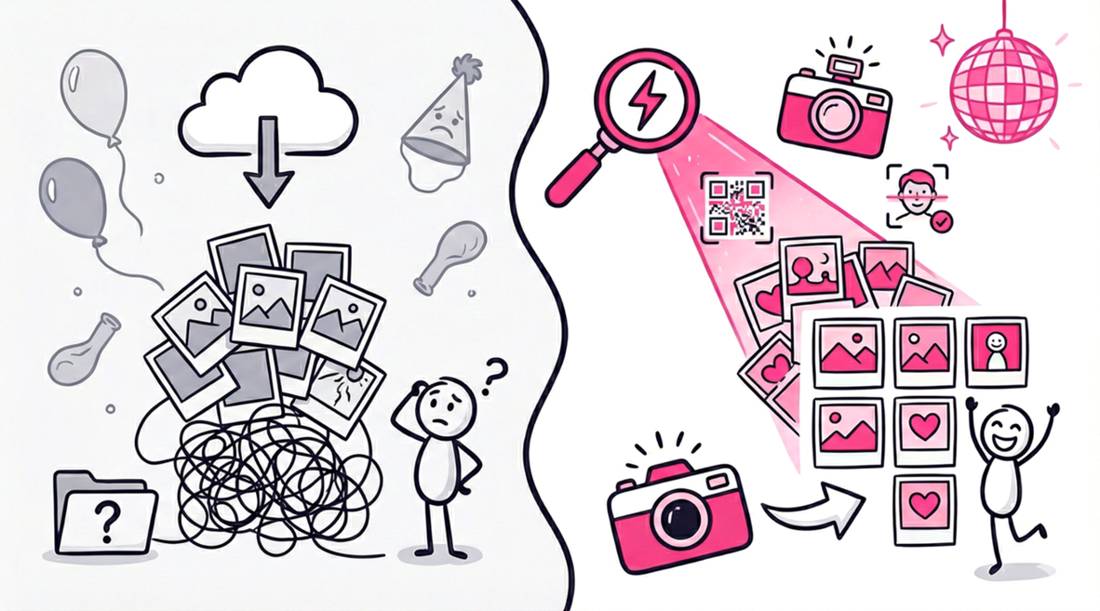
You have meticulously planned your event. The lighting is curated, the venue is set, and the guest list is finalized. Then you ask attendees to do the one thing that instantly kills engagement. You ask them to download a mobile app just to find their photos.
In the professional event photography space, forcing an app download creates massive digital friction. It acts as a rigid barrier where gallery traffic drops and guest frustration spikes.
For years, wedding planners and corporate organizers assumed a native mobile app was the only secure way to distribute event media. Platform analytics reveal a completely different reality. User behavior shows that guests overwhelmingly prioritize immediate web access. Attendees are experiencing deep app fatigue. They have zero desire to create temporary accounts or surrender personal data just to view professional images from a single weekend.
The modern solution for zero-friction media delivery bypasses the app store entirely. By utilizing a dedicated one-way photo sharing web application, hosts can distribute high-quality galleries instantly through a standard mobile browser.
This approach offers strict advantages for both the photographer and the guest:
- Zero Installation Required: Guests scan a QR code or click a URL to access the web application instantly, removing the friction of app store passwords and phone storage limits.
- Curated One-Way Delivery: Removing consumer upload features ensures the gallery remains a premium, professional stream of images rather than a cluttered folder of low-quality guest snapshots.
- Instant Face Retrieval: Guests can leverage biometric search directly in their mobile browser, finding their specific moments with a simple selfie instead of scrolling through thousands of files.
The Era of App Fatigue
Guests arriving at a wedding or corporate gala are eager to receive their professional event media. However, requiring them to download a dedicated mobile app to access the gallery instantly creates a digital roadblock.
This drop in engagement is driven by “App Fatigue”. Attendees are highly protective of their device storage and refuse to install single-use applications for a five-hour event.
Removing download barriers drastically increases the number of attendees who actively view and save their images. Hosting and processing event photos on an open web app eliminates local storage concerns and frustrating login screens.
3 Reasons Guests Hate Your Event Photo App
It is not just about laziness. There are practical, technical, and psychological reasons why your guests resist the download.
1. Storage Space is Precious
We have all been there. You try to take a photo or download a file, and the “Storage Full” notification pops up.
Users manage their storage aggressively. They prioritize photos of their kids, their music, and their essential daily tools. A 150MB event photo app that they will use once does not make the cut.
If a guest has to delete a video of their dog to make room for your wedding photo app, they will simply choose not to see your photos.
2. The Privacy Panic
“Why does this flashlight app need access to my contacts?”
People are more privacy-conscious than ever. When they install a new app, they are bombarded with permission requests. Location services. Contacts. Tracking across other apps.
For a one-time event, this feels invasive. Guests wonder why they need to sign over digital rights just to see a picture of themselves on the dance floor.
3. The Venue Connectivity Gap
Events often happen in places with poor reception. Rustic barns, basement ballrooms, or remote vineyards are notorious for dead zones.
Asking 150 guests to simultaneously download a large application over a weak 4G signal is a recipe for disaster. The download stalls. The Wi-Fi is password protect or overloaded. The moment passes.
The Solution: The Open Web and QR Codes
If apps are the problem, what is the solution?
The answer lies in the technology that is already installed on every single smartphone: the web browser.
Chrome, Safari, and Firefox are powerful tools. They can handle high-resolution image rendering. They can manage secure uploads. They can run complex scripts.
This is where SnapSeek.app changes the game.
We utilize the power of the browser to deliver an app-like experience without the installation. There is no store to visit. There is no Apple ID password to remember.
How It Works in Practice
The workflow is simple.
- The Trigger: A guest sees a QR code on the table or a link sent via text/email.
- The Access: They scan it with their standard camera app.
- The Experience: The gallery loads instantly in their browser.
Zero friction. Zero install time.
Visualizing the Friction: App vs. Web
Let’s look at the steps required for a guest to view a photo using the traditional app method versus the SnapSeek web method.
| Feature | Traditional App Method | SnapSeek Web Method |
|---|---|---|
| Initial Step | Open App Store | Scan QR Code |
| Search | Type in App Name | (None) |
| Download | Wait for 50MB+ Install | Load ~2MB Page |
| Authentication | Create Account / Verify Email | Enter Event Password (If set) |
| Permissions | Accept multiple system prompts | Grant camera access only |
| Time to First Photo | 3 - 5 Minutes | 10 Seconds |
The difference is stark. In the time it takes to find the app in the store, a SnapSeek user has already found their selfie, downloaded it, and posted it to Instagram.
Leveraging Face Recognition Without the Install
A common industry misconception is that features like AI facial recognition require a native mobile app. This is entirely false.
By operating strictly as a dedicated web application, SnapSeek processes biometric searches directly within the mobile browser. This architecture provides a massive operational upgrade for event photo delivery.
A guest opens the secure gallery URL. Instead of manually scrolling through thousands of images to find their specific moments, they take a quick selfie directly in their browser window.
The system instantly scans the event media and filters the gallery down to only the curated, professional photos containing that exact guest.
The entire retrieval process happens in the moment. Guests never create user accounts, nor do they upload reference photos to third-party servers weeks in advance.
Privacy in a Browser-Based World
Security is often cited as a reason to force app downloads. “Apps are more secure,” the vendors say.
But browser security protocols are the backbone of the internet. Your bank uses a browser. Your email uses a browser.
SnapSeek employs rigorous security measures that work natively on the web.
- Password Protection: Galleries can be locked behind a PIN or password.
- Selfie-Only Access: You can configure the gallery so guests can only see photos they appear in.
- Ephemeral Data: Because there is no app retaining data on their device, the privacy footprint is minimal.
This approach respects the guest. It tells them, “We want you to have these memories, but we do not need to live on your phone forever.”
Case Study: The Wedding That Went Viral
Consider a recent wedding with 200 guests. The couple used a popular “download required” photo app. They printed beautiful cards with instructions.
At the end of the night, only 45 guests had downloaded the app. Most users were the bridal party who were obligated to do so.
Compare this to a similar sized event using SnapSeek.
The QR code was projected on the wall. Within the first hour of the reception, 185 unique devices had accessed the gallery.
The difference wasn’t the quality of the photos. It wasn’t the tech-savviness of the crowd.
It was accessibility.
The SnapSeek guests didn’t have to “commit” to the gallery. They just had to look at it. And once they looked, they engaged.
Why Photographers Prefer the Web
It is not just guests who prefer the no-app route. Professional photographers are switching their delivery workflow to SnapSeek as well.
When a photographer delivers a client gallery via a bespoke app, they become IT support. They get the frantic texts: “My aunt can’t get the app to open on her iPad.” “The Android version looks different.”
The web is universal. It works on an iPhone 15 Pro. It works on an Android device. It works on a desktop computer.
By delivering photos via a SnapSeek link, photographers eliminate the tech support burden. They deliver the product, and it just works.
FAQ
If there is no app, how do I save the photos?
It works just like any website. When you view a photo you love, you can tap the “Download” button to save it directly to your camera roll in high resolution.
Can I still use Face Recognition?
Yes. SnapSeek’s AI face recognition works entirely within the browser. You take a selfie on the site, and it searches the gallery instantly.
Is the quality lower because it is not an app?
No. Web browsers support full-resolution display and downloading. We deliver the same high-quality files your photographer uploads.
Does the link expire?
The gallery remains active as long as the event host keeps it active. You can revisit the link anytime without needing to re-login to an account.
What if I have bad reception at the venue?
Because we are loading a website and not downloading a 100MB application, SnapSeek works much better on slower connections than app downloads do.
Conclusion
The “No-App” movement is not a trend. It is a correction.
We over-indexed on apps for a decade. We thought every coffee shop, every festival, and every wedding needed its own icon on our home screen.
We were wrong.
Guests want content. They want speed. They want respect for their device’s storage and privacy.
SnapSeek delivers on this promise. We strip away the bloat. We remove the barriers. We let the photos speak for themselves.
Don’t ask your guests to download. Just ask them to smile.