
AI Multi-Face Search for Event Photography Galleries
SnapSeek is a web-based event photo sharing platform featuring advanced multi-face search technology built directly into a secure web application. Event attendees can search for up to 5 faces simultaneously by uploading existing selfies or snapping new ones, instantly locating every photo of themselves and their friends without app downloads or account creation. For detailed strategy and industry workflows, read our in-depth multi-face search guide.
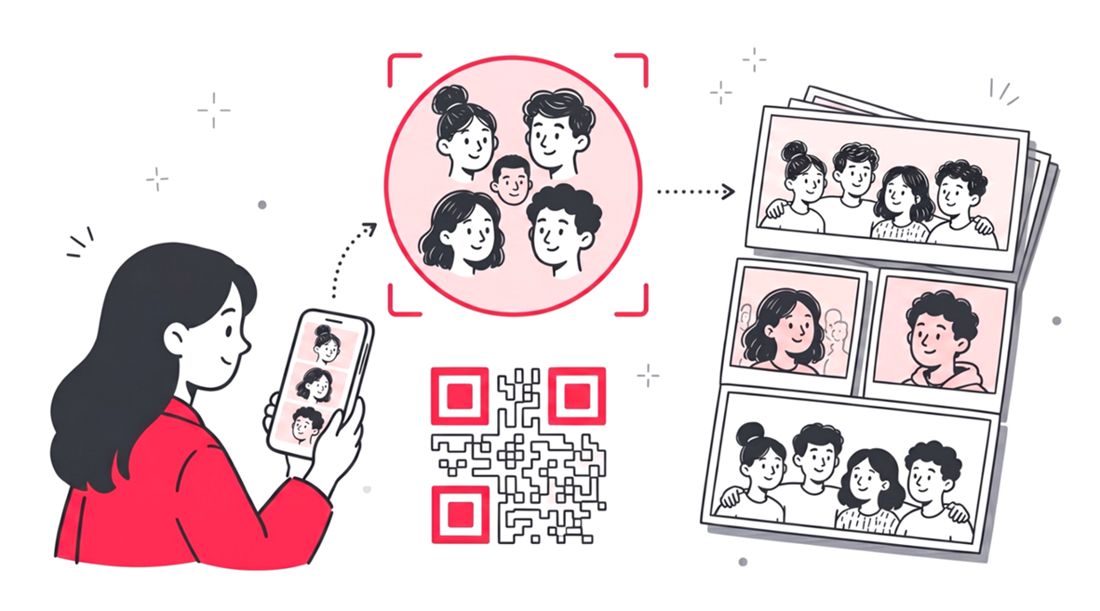
How does multi-face search improve event photo delivery?
Multi-face search replaces tedious manual album scrolling by scanning entire event galleries with intelligent facial recognition. Attendees simply upload a few selfies to instantly retrieve every group photo featuring their specific friends, colleagues, or family members, boosting post-event engagement and delivering a frictionless guest experience.
Search Up to 5 Faces Simultaneously
Guests can upload selfies and search for up to 5 different people in a single query, making it easy to find group photos, family shots, and team pictures instantly.
Frictionless Mobile Browser Experience
No app downloads or account registration required for guests. Attendees scan a venue QR code to open secure galleries directly in their mobile browser.
Camera Roll & Live Selfie Uploads
Users can upload existing group photos from their device camera roll or snap multiple new selfies on the spot to perform instant facial recognition queries.
Host-Controlled Collection Activation
Organizers maintain total control by toggling Multi-Face Search on or off per event inside Collection Settings, unlocking it using existing SnapSeek credits.
Multi-Industry Event Compatibility
Adapts seamlessly to corporate networking galas, wedding friend groups, school dance cliques, and sports relay or doubles player combinations.
Private & Secure Gallery Infrastructure
Operates within secure, one-way curated galleries. Facial recognition data is processed safely and is never sold or shared with third-party advertising networks.
How to Enable and Use Multi-Face Search
Event hosts activate Multi-Face Search in Collection Settings under Guest Settings using SnapSeek credits on an opt-in basis per event. Guests access the gallery via a venue QR code or link in their mobile browser, select or capture selfies for up to 5 people, and view personalized group search results within seconds.
Activate Multi-Face Search in Settings
Organizers go to Collection Settings under Guest Settings in the SnapSeek dashboard, toggle on Multi Face Search, and click Purchase and Enable using SnapSeek credits.
Guests Open Gallery via QR Code
Attendees scan the venue QR code or click the private gallery link on their mobile device to open the search portal with zero app downloads required.
Upload Selfies for Instant Group Matches
Guests upload camera roll photos or snap selfies for up to 5 people, instantly viewing every photo in the gallery where those specific individuals appear.
Frequently Asked Questions about Multi Face Search
How many faces can a guest search for at once?
Guests can upload selfies and search for up to 5 different faces simultaneously using the multi-face search feature on SnapSeek.
Do attendees need to download an app to use this feature?
No. SnapSeek is a fully web-based application. Guests simply scan a QR code or open the gallery link directly in their mobile browser without any app downloads or registration.
How do hosts pay for the multi-face search feature?
Hosts can activate the feature in their Collection Settings by clicking Purchase and Enable under Guest Settings. This unlocks the multi-face search tool using existing SnapSeek credits on a per-event opt-in basis.
Is multi-face search secure for private corporate events?
Yes. SnapSeek uses secure, one-way curated galleries. Biometric facial recognition data is processed securely and is never sold or shared with third-party advertising networks. Only guests equipped with the specific event link or QR code can access the search portal.
Can I turn off the multi-face search after the event concludes?
Yes. Event organizers have complete control over their Guest Settings. You can toggle the multi-face search feature off at any time directly from your host dashboard.
Ready to Get Started?
Join thousands of event organizers and photographers using SnapSeek to simplify photo sharing.