Event photography is undergoing a massive shift. For years, the bottleneck was never the shooting itself. It was the post-event chaos of sorting, tagging, and distributing thousands of images to the right people.
Today, high-speed delivery is no longer a luxury. It is a baseline expectation. Guests want their photos immediately, and hosts want a system that does not require a manual weekend of work. Smart face grouping drives automated event photo delivery systems across large galleries without requiring human intervention.
SnapSeek addresses this specific pain point through automated face grouping. This technology eliminates the need for manual folders or complex tagging systems by letting the software do the heavy lifting.
The Photo Sorting Problem
In a typical event workflow, a photographer might capture 2,000 images. Sorting these into meaningful categories for a host is a logistical nightmare.
Most platforms require the uploader to manually create albums. You might have to identify key individuals and move their photos one by one into specific folders.
This manual effort creates a delay in the user experience. When the sharing process is slow, engagement drops. SnapSeek changes this by introducing a one-click face grouping feature, allowing hosts to seamlessly automate photo sorting with AI.
What is Face Grouping and How Does It Work?
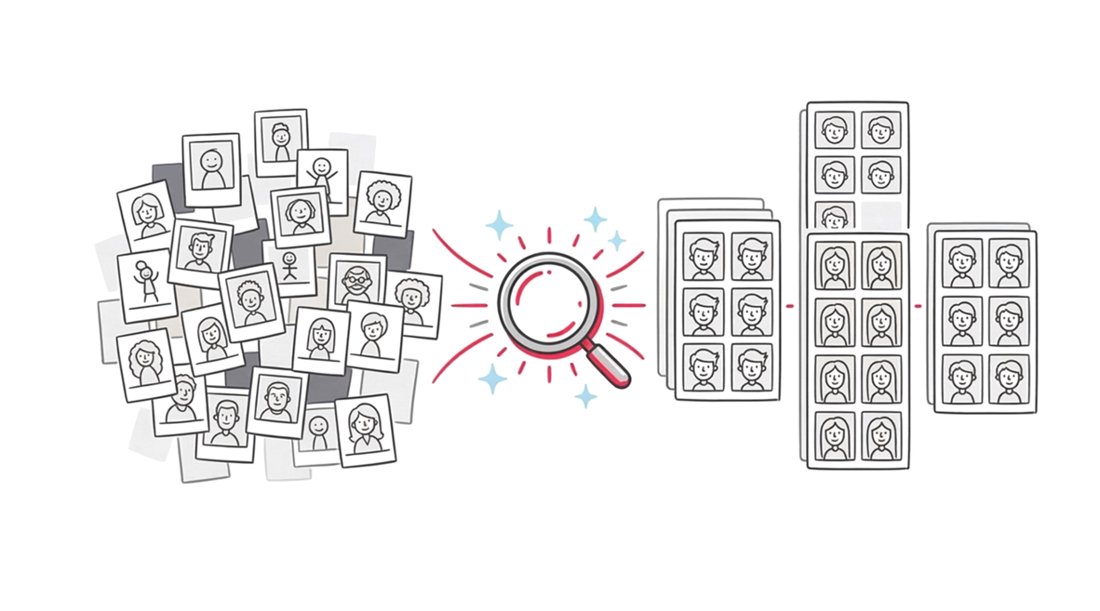
Face grouping is a specialized branch of computer vision. Instead of just identifying that a face exists, the system analyzes unique biometric landmarks to cluster similar faces together.
On SnapSeek, this happens at the host side. Once the photos are uploaded, the host simply clicks on the “Group Faces” button.
The system then scans the entire gallery. It identifies every unique person and groups their specific photos under a single profile. This happens instantly, requiring zero manual effort from the event organizer.
Efficiency Gains for Event Hosts
When you use SnapSeek, the administrative burden of being a host is halved. You no longer need to hunt through a massive gallery to find shots of specific VIPs or family members.
By having faces grouped on the backend, the host can see all the photos for each guest. This level of organization is essential for corporate events, weddings, and large-scale parties.
It ensures that the delivery pipeline is clean. A well-organized gallery reflects professional standards and improves the perceived value of the event itself.
Comparing Manual Sorting vs. SnapSeek Face Grouping
| Feature | Traditional Manual Sorting | SnapSeek Face Grouping |
|---|---|---|
| Time Investment | Hours or Days | Seconds to minutes |
| Accuracy | High risk of human error | High precision AI clustering |
| User Effort | Manual drag-and-drop | One-click automation |
| Guest Experience | Slow delivery | Instant discovery |
| Cost | High (Labor intensive) | Minimal |
Enhancing the Guest Experience
While the host benefits from organization, the guest benefits from the speed of discovery. SnapSeek is a one-way photo sharing tool designed for simplicity.
Guests do not need to scroll through thousands of photos to find themselves. The system is built so that guests simply click a selfie to find their photos within the host’s uploaded gallery.
Because the host has used face grouping to organize the backend, the retrieval process is incredibly fast. It creates a seamless bridge between the camera lens and the guest’s smartphone.
Best AI Photo Sharing for Weddings and Corporate Events
Weddings and corporate galas are high-volume environments. In these settings, the “Group faces” feature becomes a strategic asset.
For a wedding, the host can quickly verify if there are enough photos of the bride’s parents or the groom’s inner circle. For corporate events, it allows organizers to ensure every keynote speaker has a dedicated set of images.
This level of detail was previously only possible with a team of assistants. Now, it is a standard feature within the SnapSeek web app.
Why Face Recognition Beats Manual Tagging
Manual tagging is prone to fatigue. After the 500th photo, a human is likely to miss a face or mislabel a guest.
The AI behind SnapSeek does not get tired. It maintains the same level of precision from the first photo to the last.
This consistency is vital for maintaining a high-quality digital user experience. When guests find their photos easily, they are more likely to share them on social media, increasing the reach of the event.
Improving SEO and Brand Visibility
For photographers and event planners, using advanced tools like SnapSeek is a selling point. You are not just offering photos. You are offering a tech-forward experience.
Mentioning “AI-powered sorting” or “automated face grouping” in your service packages can help you stand out. It positions you as an expert in modern photography workflows.
Integrating SnapSeek Into Your Workflow
Starting with SnapSeek is straightforward. Since it is a web app, there is no need for guests or hosts to download anything from an app store.
- Upload your high-resolution images to the SnapSeek dashboard.
- Click the “Group faces” button to organize the backend.
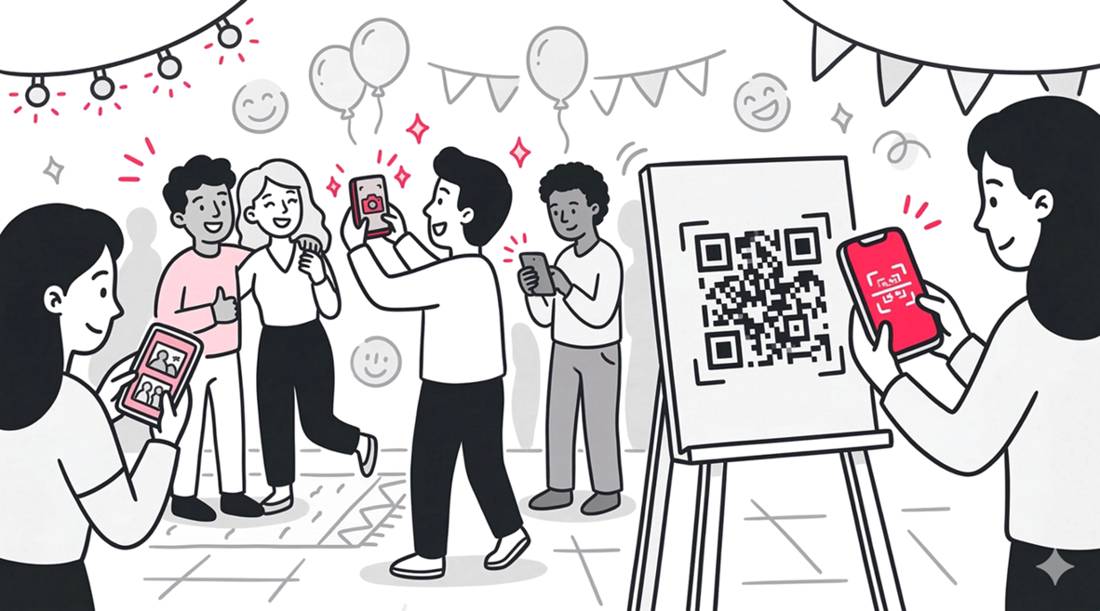
- Share the gallery link or QR code with your guests.
Even if you do not use the face grouping feature, guests can still find their photos quickly and easily just by clicking a selfie once they receive the gallery link or QR code.
The face grouping feature is a tool that helps hosts organize their photos at their end. It is not a requirement for sharing photos with guests.
The standard process of sharing photos with guests is explored further in our guide on how to share event photos with guests. It is about removing friction at every possible touchpoint.
Data Privacy and Security
In the world of event technology, privacy is paramount. SnapSeek focuses on a secure, one-way sharing model.
The face grouping data is used strictly for the purpose of sorting and helping guests find their own images. It is a utility-first approach to AI.
By keeping the platform as a web app, the data remains within a controlled environment. This is a significant advantage over public social media folders where privacy settings are often confusing.
FAQ
Does the host have to manually label each face?
No. The host simply clicks “Group Faces” and the system automatically clusters similar faces together without any manual input or labeling required.
Is SnapSeek a mobile app?
No. SnapSeek is a web app. This means guests and hosts can access all features through a mobile or desktop browser without needing to download software from an app store.
Can guests upload their own photos to the gallery?
No. SnapSeek is a one-way photo sharing tool. Only the host or the designated photographer can upload photos to the platform.
How do guests find their photos if the host groups the faces?
Guests find their photos by clicking a selfie. The system then matches their selfie against the organized gallery to pull up only the photos they appear in.
Does face grouping work for large crowds?
Yes. The AI is designed to handle high-volume event photography, making it ideal for weddings, conferences, and large parties.
Conclusion
Face grouping on SnapSeek is more than just a technical feature. It is a workflow revolution for anyone managing event photography. By automating the most tedious part of the process, you can focus on what matters: the event itself.
Whether you are a professional photographer looking to speed up delivery or an event organizer wanting to impress guests, SnapSeek provides the tools to succeed. Experience the future of photo sharing today.
Explore our full list of features and start your next event with SnapSeek.